วันศุกร์ที่ 2 สิงหาคม พ.ศ. 2556

Google Data Centers ศุนย์ข้อมูลของ Google

Teacher Phaitoon  Yaemprasuan  :  http://www.picta55.blogspot.com

                          SOURCE  :  http://www.bigpicture.ru

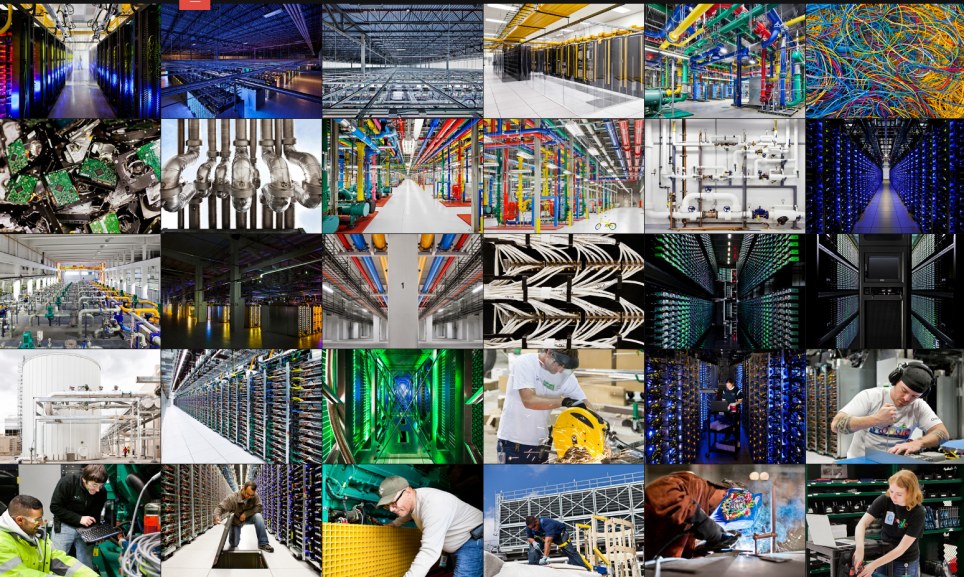
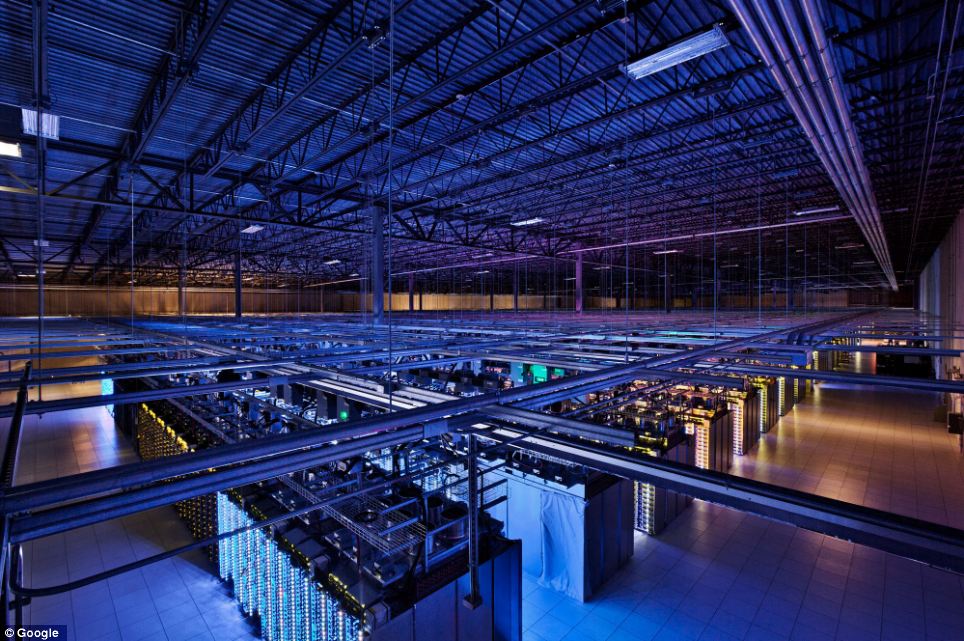
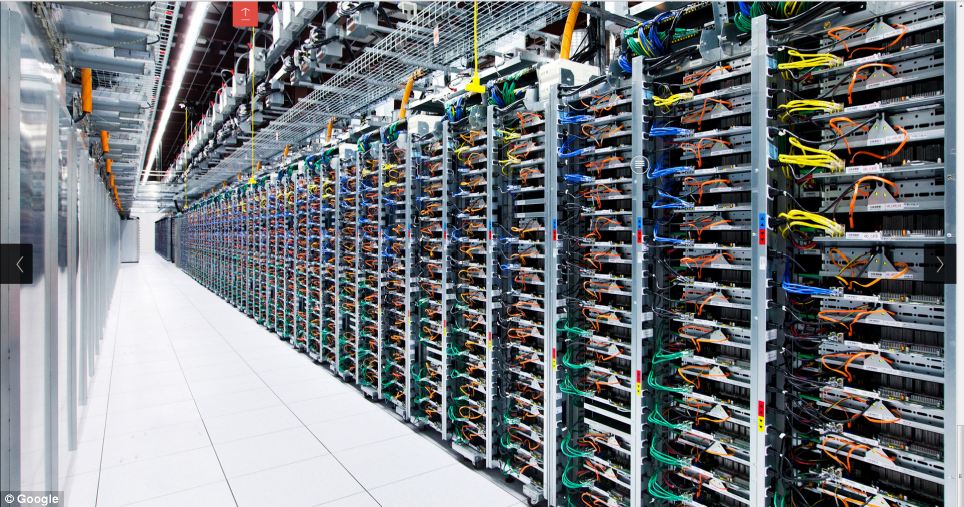
Google has provided us with a rare opportunity to see their data centers around the world, thanks to which every day we can use the services of this global Internet company. This is a real maze of servers that handle online queries into a search engine, show us a video on YouTube, and deliver emails to millions of people. Hundreds of thousands of servers, colorful cables and even bicycles to move the employees of the centers - in this collection you will find and data centers in the former paper mill in Finland, and specially designed server centers in Iowa, USA. 
โอกาสที่ Google จะยอมให้เราเห็นศูนย์ข้อมูลของพวกเขาในหลายๆ แห่งทั่วโลกนั้น ไม่ใช่เรื่องที่ง่ายเลย  เครื่องคอมพิวเตอร์แม่ข่าย (servers) ทั้งหลายที่ตอบสนองการร้องขอของผู้คนที่ออนไลน์ทั่วโลก ไม่ว่าจะเป็น Search Engine (เครื่องมือค้นหาข้อมูล Google)  บริการวิดีโอของ Youtube และการให้บริการ Gmail  ต้องใช้เครื่องคอมพิวเตอร์แม่ข่ายหลายแสนเครื่อง

Inside the internet 1 Дата центры Google
1. Few people have seen data centers Google, and for good reason, because the most important - is the security of our data.Therefore, each center is carefully protected.
เหตุผลเรื่องความปลอดภัย เราจึงไม่ค่อยได้เห็นศูนย์ข้อมูลของกูเกิล
Inside the internet 2 Дата центры Google
2. Despite the large number of Google employees around the world, only a handful of insiders has access to the servers.
แม้จะเป็นพนักงานของกูเกิลที่มีมากมายทั่วโลก  ก็คงเป็นแค่คนวงในไม่กี่คนที่สามารถเข้าถึงเครื่องแม่ข่ายได้
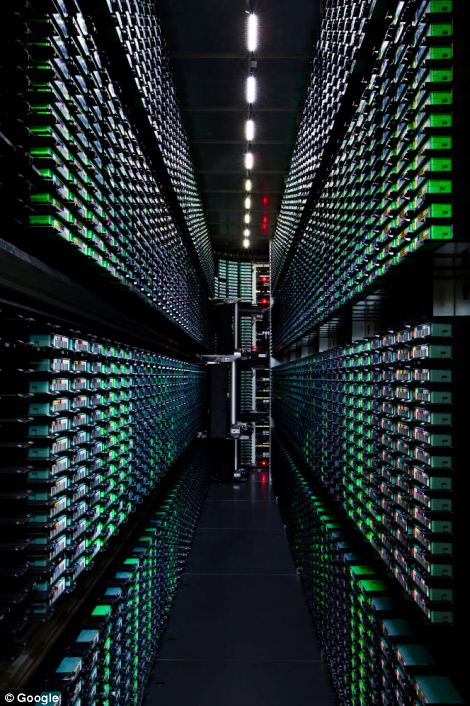
Inside the internet 3 Дата центры Google
3. Now you can see the first images which capture the people, places and equipment, through which runs Google. 
ภาพแรกๆ ที่เราเห็นจะทำการจับภาพผู้คน ตำแหน่งที่อยู่ และอุปกรณ์ ซึ่งจะรันผ่านกูเกิล
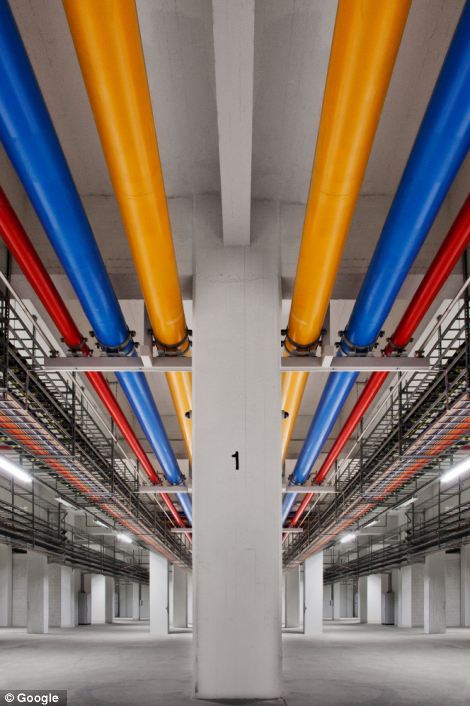

Inside the internet 4 Дата центры Google
4. In this post photos provided eight data centers in the U.S., Finland and Belgium. 
ศูนย์คอมพิวเตอร์ของกูเกิล  8 ศูนย์ ในสามประเทศคือ สหรัฐอเมริกา  ฟินแลนด์ และเบลเยียม
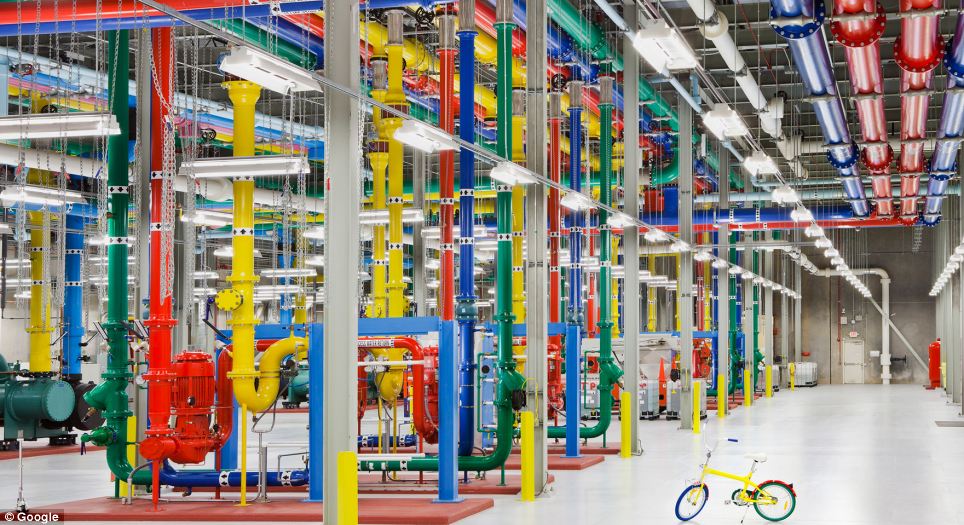

Inside the internet 5 Дата центры Google
5. Now Google is also building data centers in Hong Kong, Taiwan, Singapore and Chile.
กูเกิลยังมีศูนย์ข้อมูลที่ฮ่องกง  สิงคโปร์  ไต้หวัน และประเทศชิลี อีกด้วย (สังเกตว่า พวกเขาใช้จักรยานปั่นไปหาจุดต่างๆ ขืนเดินไปคงไม่ไหว เพราะมันคงกว้างขวาง เสียเวลากว่าจะไปถึง)
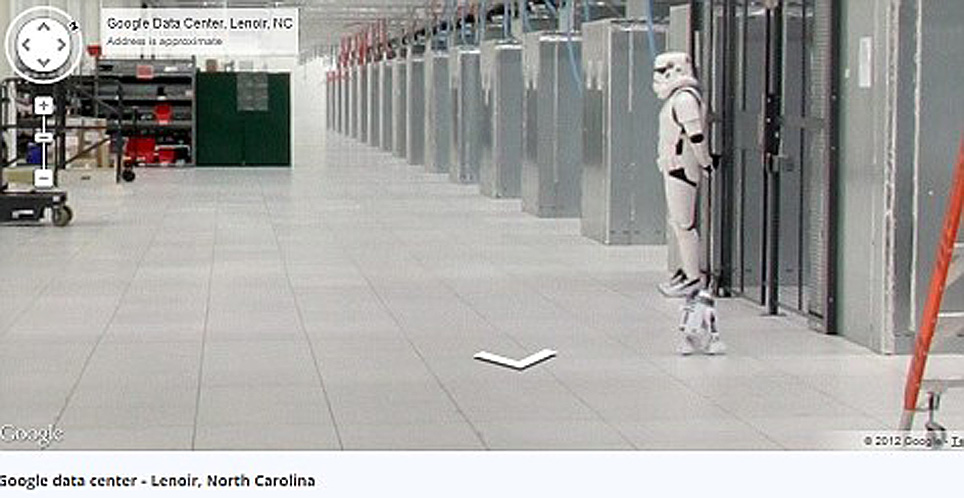
Inside the internet 6 Дата центры Google
6. Surprise! Hmm, so this is what the guards in the data centers Google.
นี่เป็นการ์ดเฝ้าศุนย์ข้อมูลของกูเกิลเขาล่ะนะ
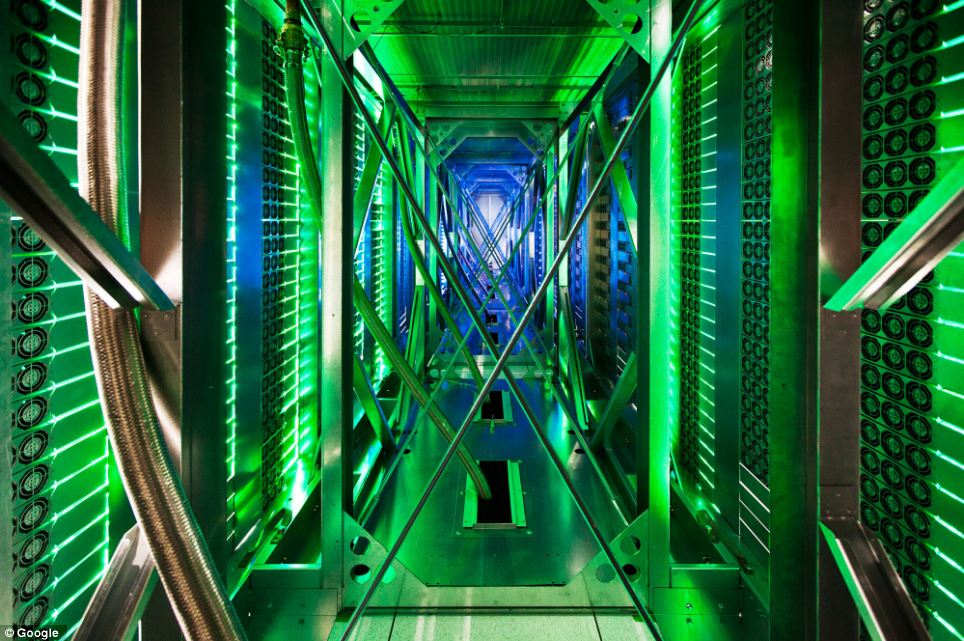
Inside the internet 7 Дата центры Google
7.Takzhe to share Google's 'Street View' you can take a virtual tour of the data center in North Carolina.
ศูนย์ที่มลรัฐนอร์ธแคโรไลนา
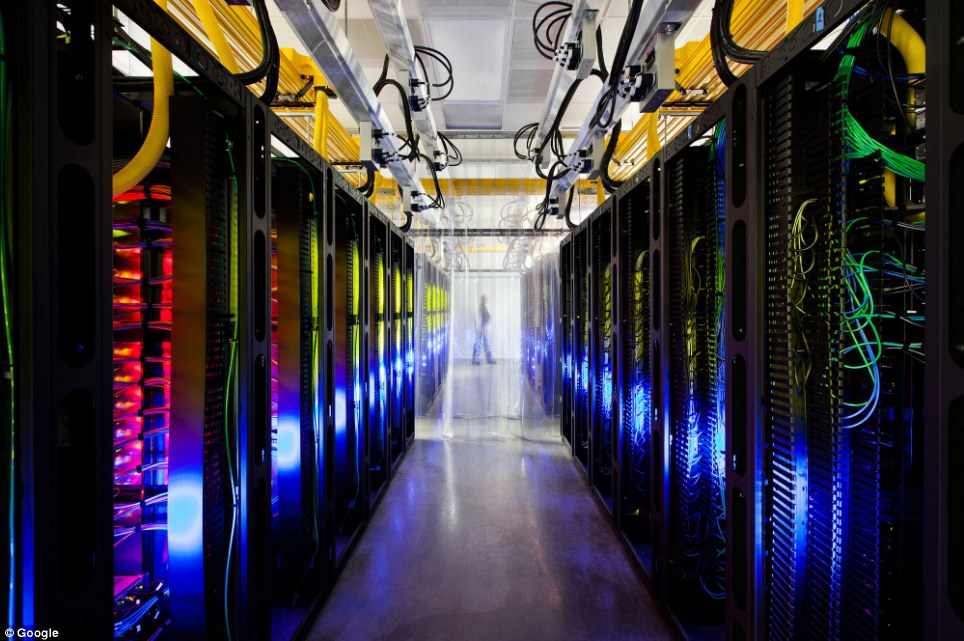
Inside the internet 8 Дата центры Google
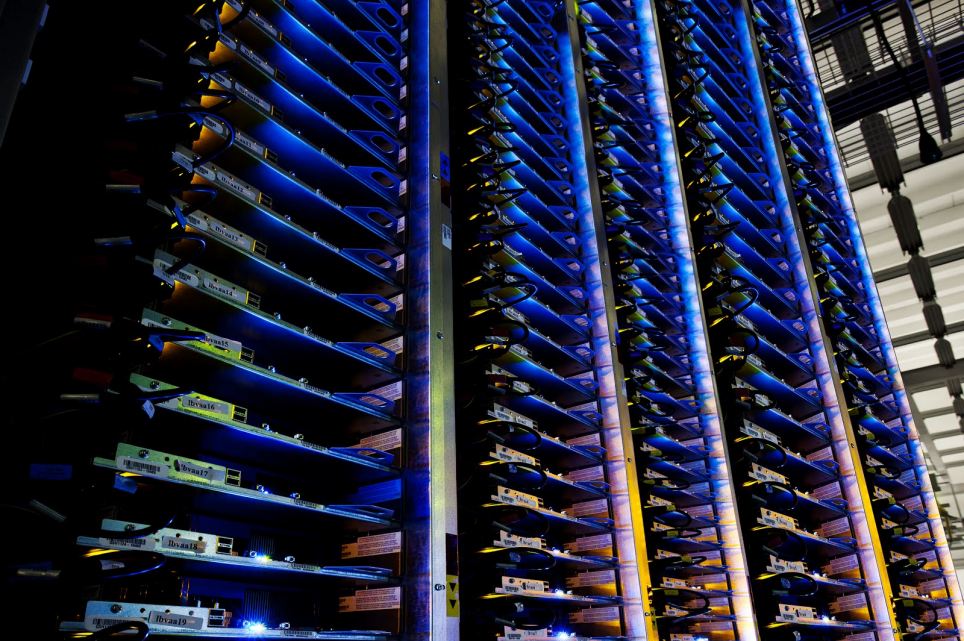
8. One of the many server data center in Iowa, USA, where the routes and switches allow data centers to communicate with each other. Fiber-optic cable connecting the server mounted on the ceiling.
ศุนย์ที่มลรัฐไอโอวา  สายใยแก้วนำแสง (Fiber-optic cable) ที่มาเชื่อมต่อกับเครื่องแม่ข่ายนั้น ห้อยลงมาจากเพดานหลังคา
Inside the internet 9 Дата центры Google
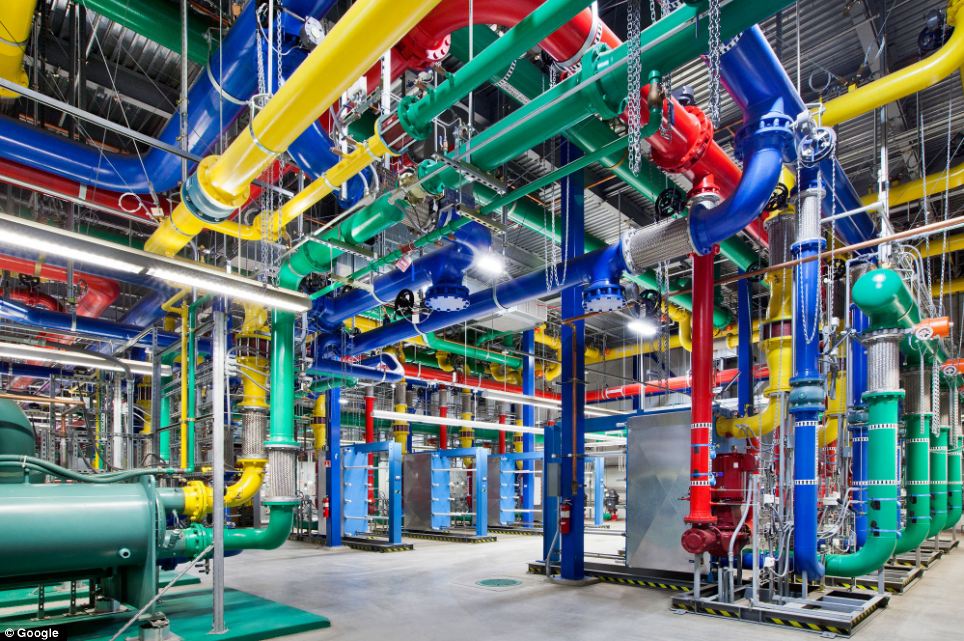
9. Even the lines in the centers painted in company colors Google. For these colorful water pipes travels around the center in Oregon. Blue pipes supply cold water, red - hot water is returned to a special chamber that it has cooled down.
ศุนย์ที่มลรัฐโอเรกอน  จะสังเกตว่า สีของท่อต่างๆ จะใช้สีของกูเกิลเป็นสัญลักษณ์  ท่อน้ำสีน้ำเงินเป็นน้ำเย็น นำไประบายความร้อนออกมาจากระบบ  แล้วส่งกลับเป็นน้ำร้อนมาตามท่อน้ำสีแดง (ระบบระบายความร้อน ทำนองเดียวกับเครื่องรถยนต์นั่นแหละ)
Inside the internet 10 Дата центры Google
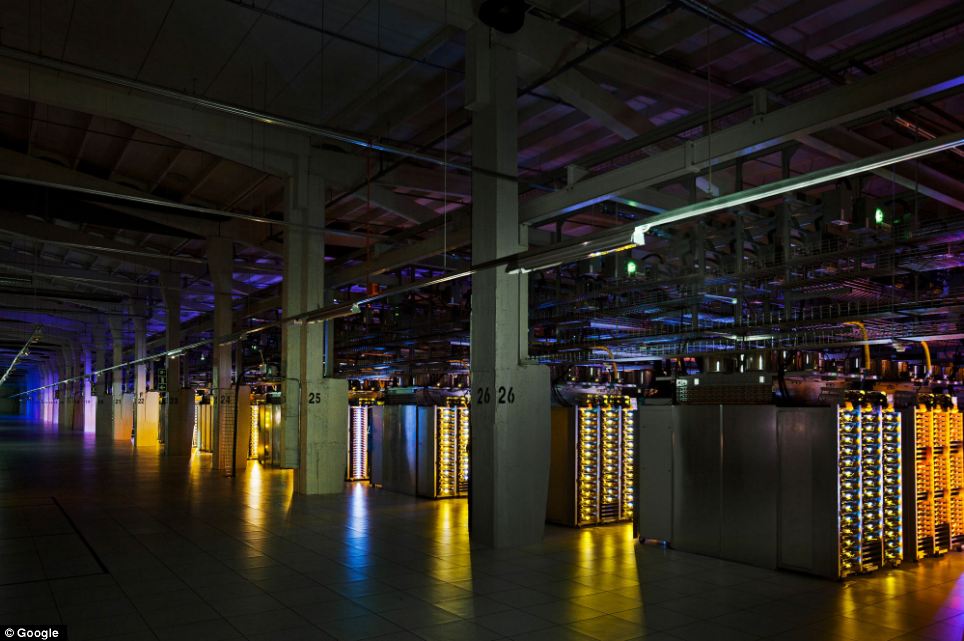
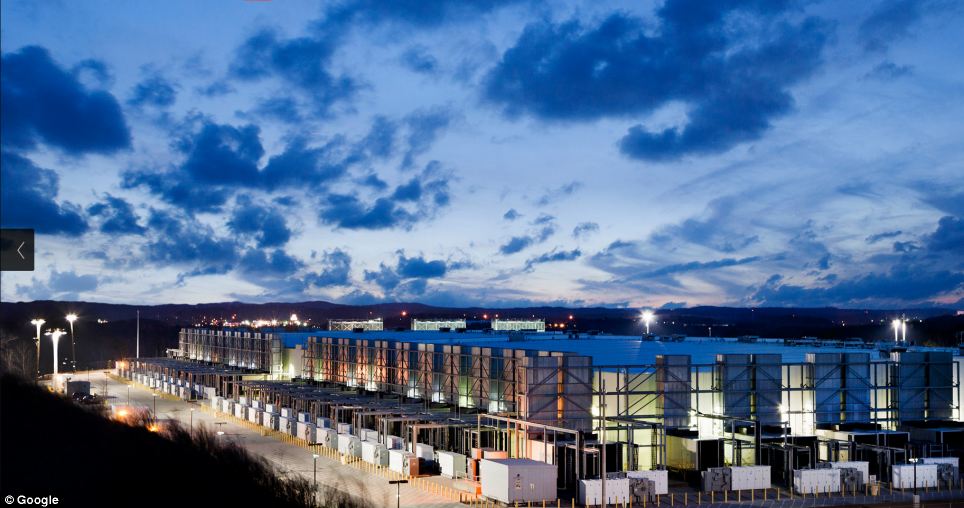
10. In Hamina, Finland, Google has decided to restore the old paper mill and stay on its territory, not far from the cool waters of the Gulf of Finland.
นี่เป็นศูนย์ข้อมูลของกูเกิลในประเทศฟินแลนด์ อาศัยโรงงานกระดาษเดิมมาดัดแปลง (ฟินแลนด์เป็นประเทศยักษ์ใหญ่ของโลกในการผลิตกระดาษจากไม้สน)
Inside the internet 11 Дата центры Google
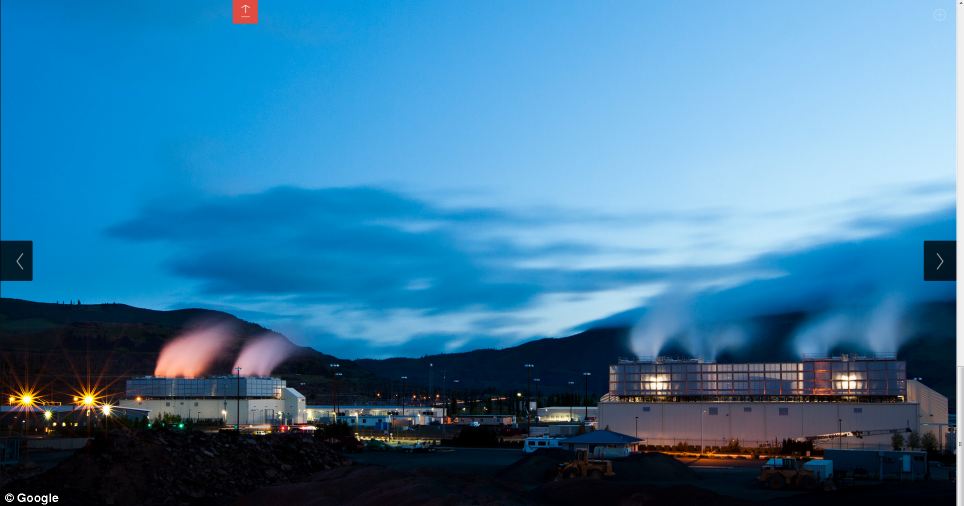
11. Google server center in Douglas, Iowa.  
ที่มลรัฐไอโอวา
Inside the internet 12 Дата центры Google
12. This server facility in The Dalles, Oregon, USA.
ที่มลรัฐโอเรกอน
Inside the internet 13 Дата центры Google
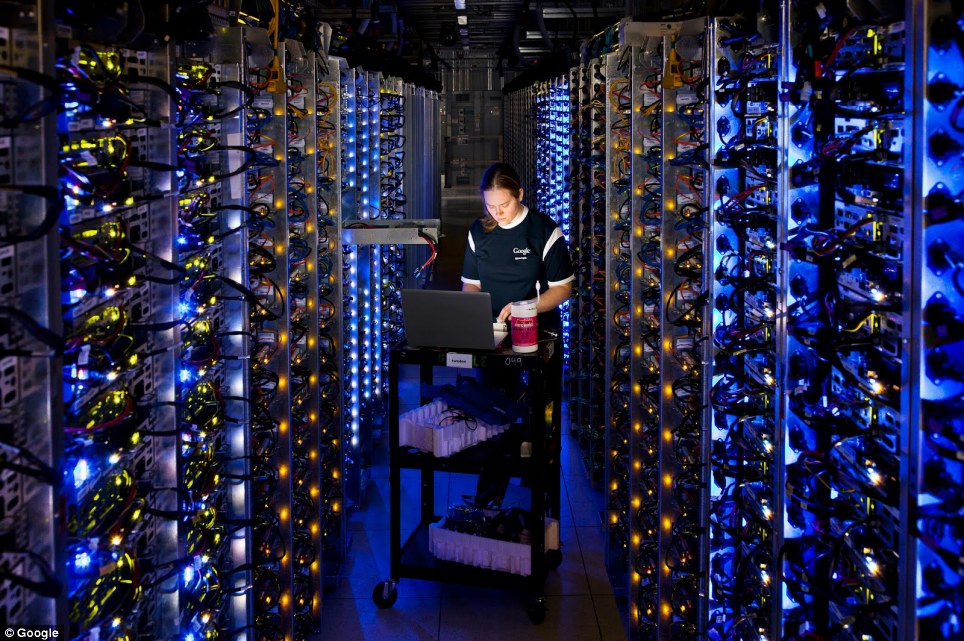
13. Dennis Harwood, an engineer Google, diagnoses overheated processor. For more than 10 years, Google has built some of the world's most powerful servers.
วิศวกรของกูเกิลกำลังตรวจหาสาเหตุที่หน่วยประมวลผลมีความร้อนเกิดขึ้นสูงเกินไป (Overheated)
Inside the internet 14 Дата центры Google
14. Google data center in Council Bluffs, Iowa, USA.
ศูนย์ที่มลรัฐไอโอวา
Inside the internet 15 Дата центры Google

Google Dream Office สำนักงานในฝัน

Teacher :  Phaitoon  Yaemprasuan                                                        http://picta55.blogspot.com

         SOURCE:  http:// www.bigpicture.ru

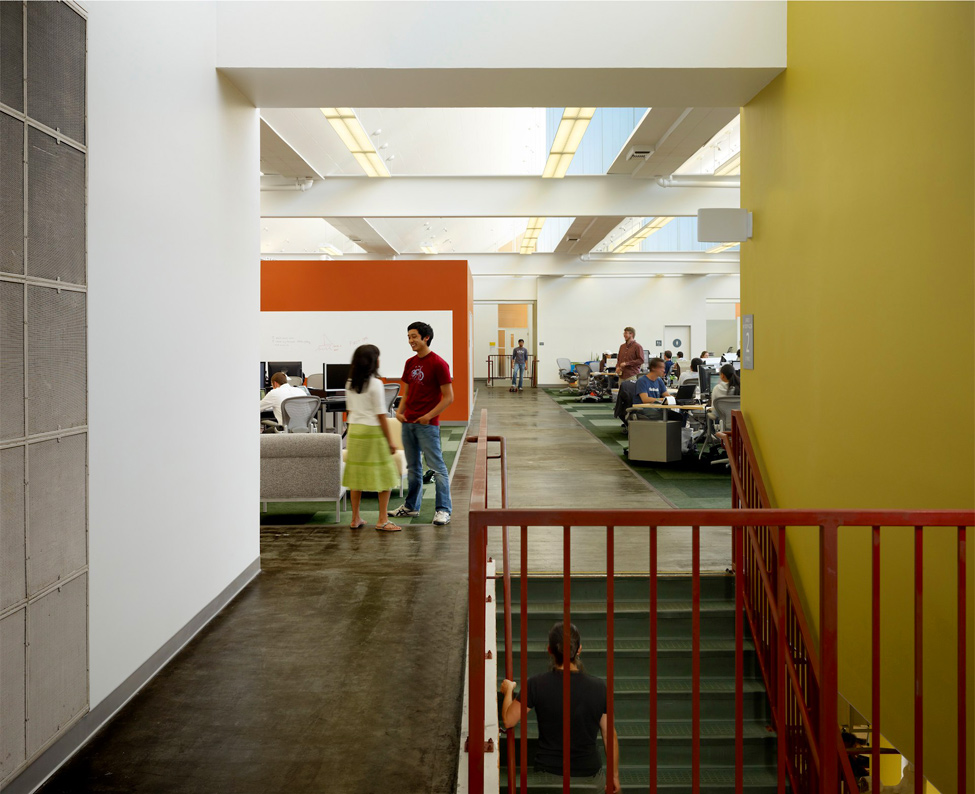
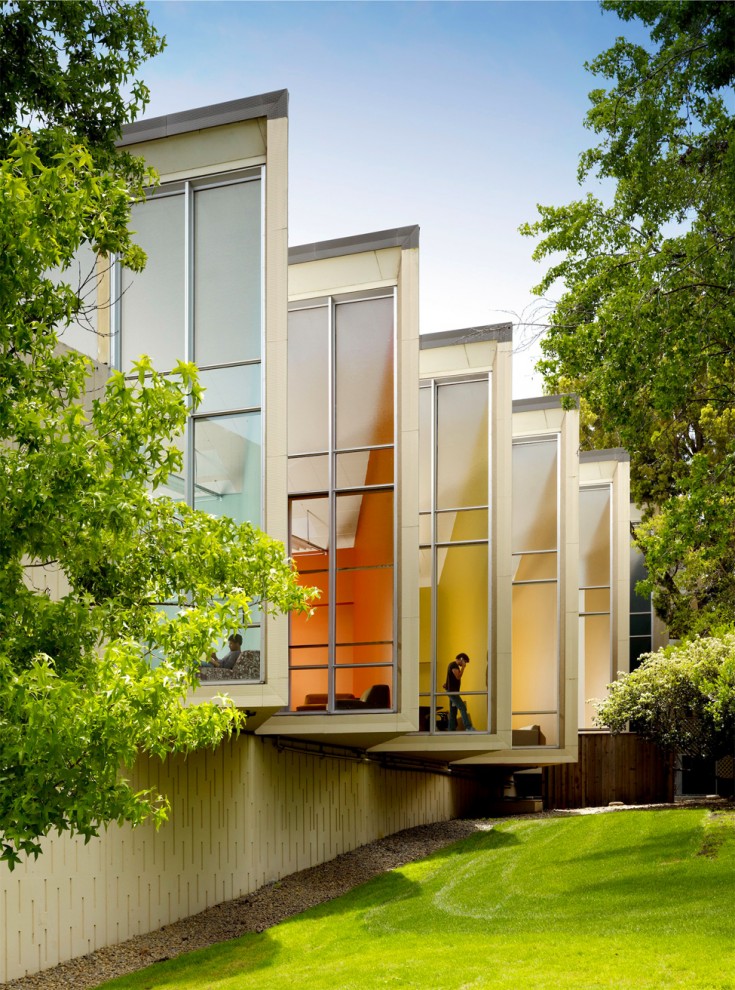
Google has been founded in California in January 1996 as a research project by Larry Page and Sergey Brin when they were both studying in graduate school at Stanford University. 15 years later, Google is one of the most recognizable brands in the world. The company manages more than one million servers in data centers (DC) around the world, and processes over one billion search requests and twenty-four petabytes of user data each day, bringing incredible profits to its owners. Part of this income is invested in creating the most comfortable and pleasant working environment, which each employee can only dream of.

Google ก่อตั้งขึ้นที่มลรัฐแคลิฟอร์เนีย สหรัฐอเมริกา ในปี 1996 ในลักษณะ research project (โครงงานวิจัย)  โดย Larry Page และ Sergey Brin สองหนุ่มนักศึกษา บัณฑิตวิทยาลัย (graduate school) มหาวิทยาลัยสแตนฟอร์ด (Stanford University - มหาวิทยาลัยชั้นนำแห่งหนึ่ง ของสหรัฐอเมริกา)  15 ปี หลังจากนั้น Google ได้กลายเป็นแบรนด์สินค้าที่ได้รับการยอมรับในระดับโลก  โดยที่ Google ต้องบริหารจัดการเครื่องคอมพิวเตอร์แม่ข่าย (servers) จำนวนมากกว่าหนึ่งล้านเครื่อง ที่อยู่ตามศูนย์เก็บข้อมูล [data centers (DC)] ที่กระจายอยู่ทั่วโลก  และต้องทำการประมวลผล คำร้องขอให้สืบค้นข้อมูลมากกว่า หนึ่งพันล้านคำขอ  ซึ่งปริมาณข้อมูลในแต่ละวันมีมากถึง 24 petabytes (24 ล้าน-ล้าน กิกะไบต์)  ก็คิดเอานะว่า ปีหนึ่งๆ Google จะโกยรายได้ไปเท่าไรจากผู้ใช้งานทั่วโลก (แม้ว่าคนธรรมดาอย่างเราๆ จะใช้ฟรี  แต่อย่าลืมว่า ผู้ใช้รายใหญ่ที่เป็นหน่วยงาน หรือองค์กร ที่เขาใช้ข้อมูลเยอะๆ ข้อมูลขนาดใหญ่ๆ เพื่อความปลอดภัย รวดเร็ว ... เขาก็ต้องเสียเงินค่าเช่านะ  แล้ว Google ยังได้ค่าโฆษณาอีกล่ะ มากมายมหาศาล) ก็เพราะรายได้มากมายนี่เอง Google เขาก็ต้องเอาใจพนักงานของเขา ที่เป็นมันสมอง เป็นมือ เป็นไม้ ให้ Google ดำเนินไปได้  จึงพยายามสร้างที่ทำงานในฝัน ให้กับพนักงานของเขา  เป็นทำนองซื้อใจพนักงานให้มีขวัญกำลังใจเต็มร้อย ลุยงานโลดๆ โดดเด่นไม่เห็นฝุ่น ประมาณนั้น 


google01 Офис мечты: Работа в компании Google
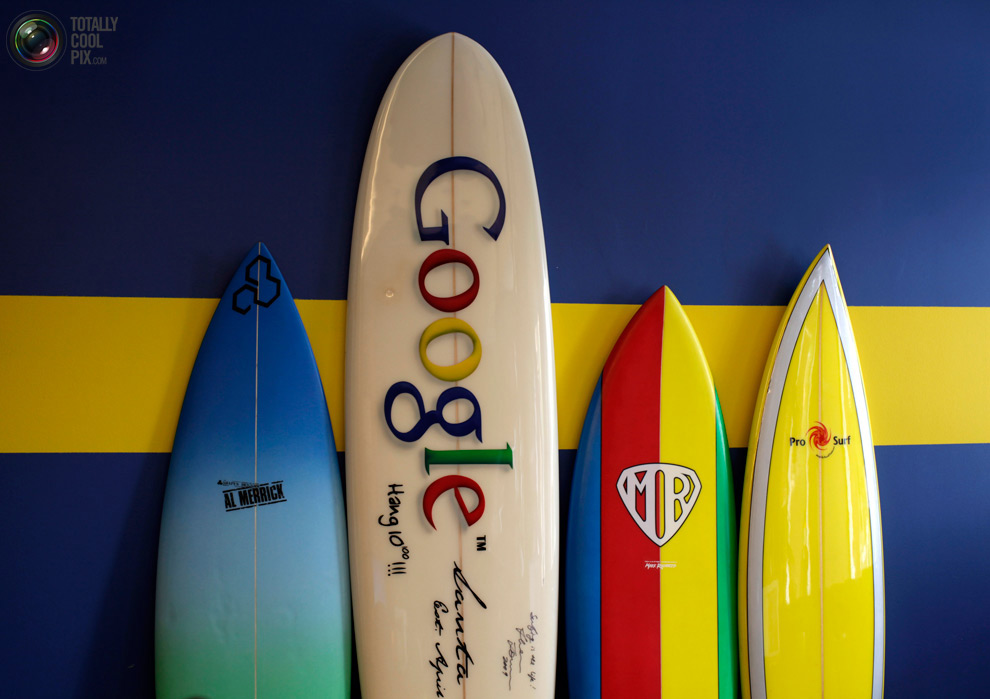
1. Surfboards at the wall in the office of «Google» in Santa Monica, California October 11, 2010. Google Inc. - An American multinational public corporation that invests in Internet search, cloud computing, and advertising technologies.
ขนาดกระดานโต้คลื่น  ยังแสดงให้เห็นว่า บริษัทยักษ์ใหญ่ข้ามชาตินี้ ทำการใหญ่ขนาดไหน  แค่เป็นเจ้าพ่อการสืบค้นผ่านอินเทอร์เน็ต ระบบคลาวด์คอมพิวติ้ง และเป็นขาใหญ่ด้านเทคโนโลยีการโฆษณา  สามอย่างนี้ Google ก็รวยซะจนไม่รู้จะรวยยังไง

 
google02 Офис мечты: Работа в компании Google
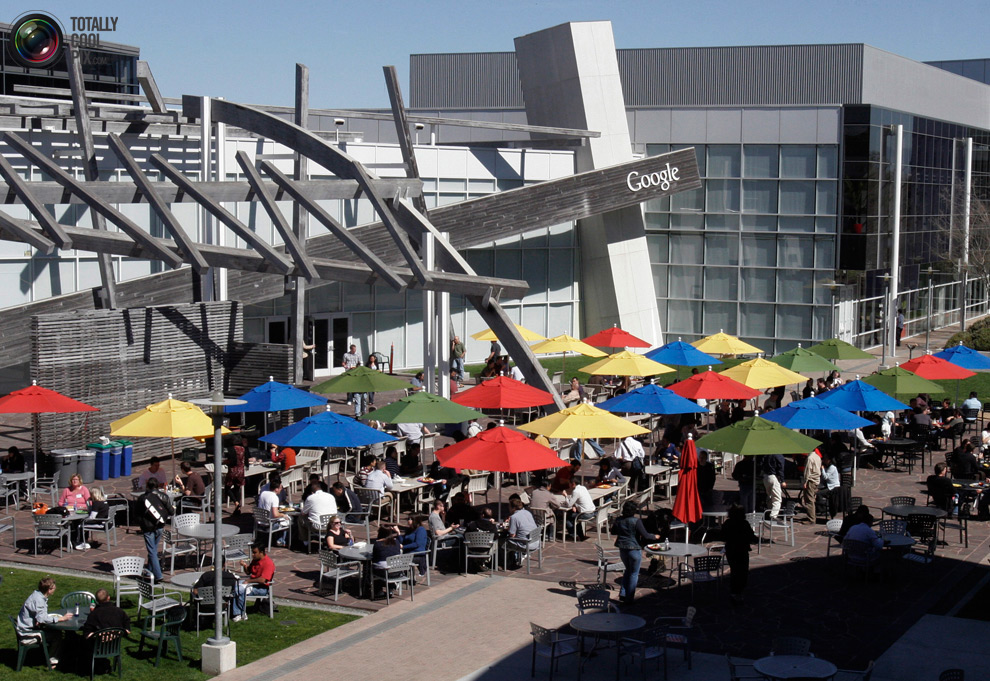
2. Employees during a lunch break at a rest in the sun's headquarters in Mountain View, Calif., March 3, 2008. Google headquarters is called the "Googleplex" and is located in the famous "Silicon Valley." 
Googleplex แหล่งรับประทานอาหาร และพักผ่อน
google03 Офис мечты: Работа в компании Google
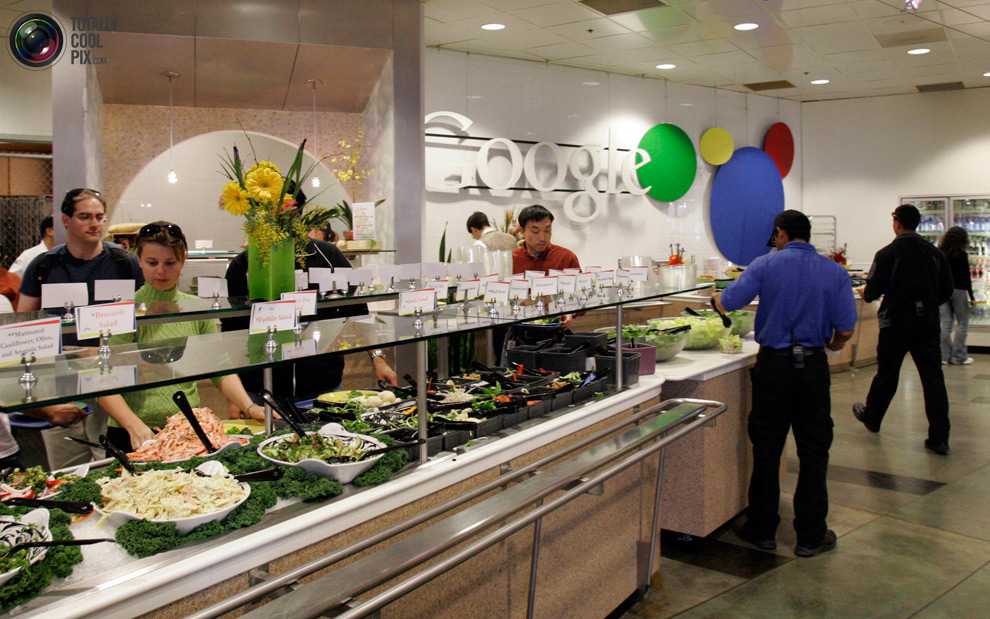
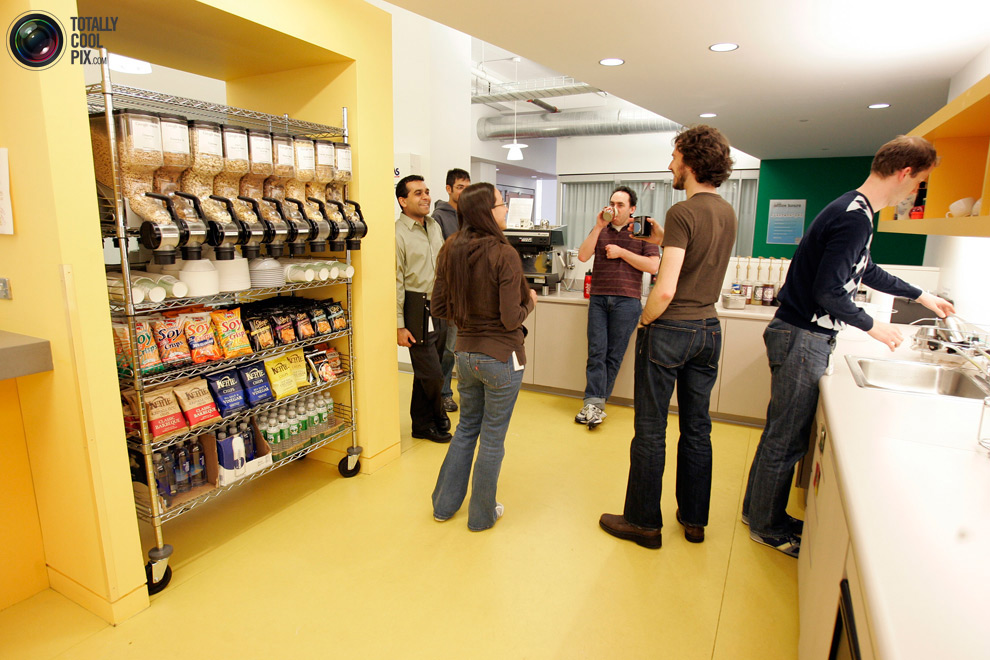
3. March 3, 2008 employees purchased food in one of the fifteen cafes located in the company's headquarters in Mountain View, California. Meals for employees of the company - free.
 พนักงานกินฟรีครับ
 
google04 Офис мечты: Работа в компании Google
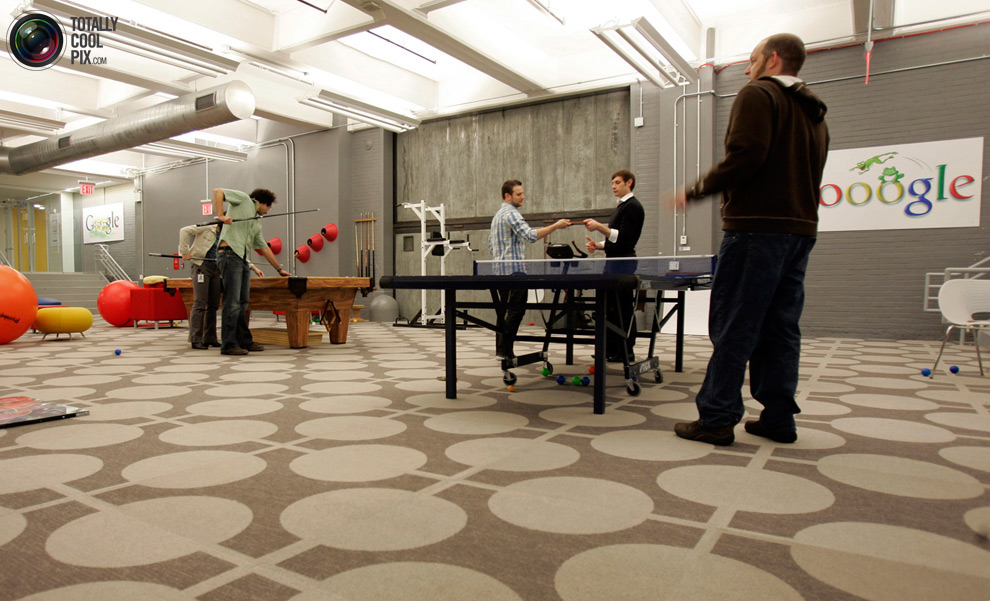
Of 4. Employees in the "game room" where they can spend their time playing ping-pong or snooker, or doing at the gym. In 2011, Google has been recognized as the company with the best reputation in the U.S., ahead of Microsoft, Sony and other companies
 สนับสนุนส่งเสริมให้เล่น และพักผ่อนเต็มที่ เกินหน้าเกินตายักษ์ใหญ่ไมโครซอฟต์ โซนี่ และบริษัทแถวหน้าทั้งหลายไปแล้วเน้อ
 
google05 Офис мечты: Работа в компании Google
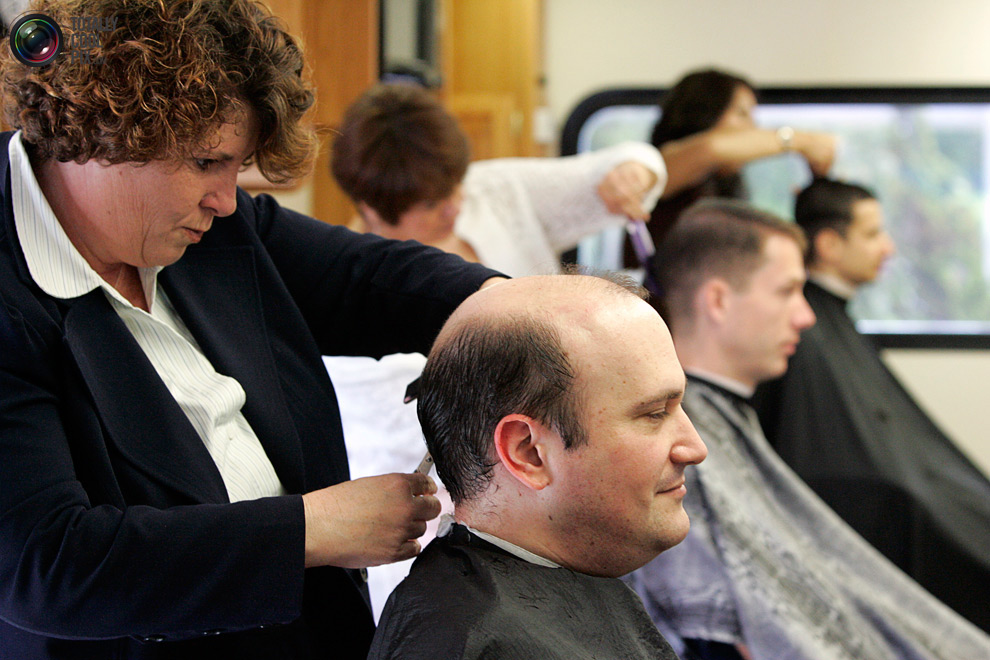
5. DenaKaufer, owner of the salon «Onsite Haircuts», cuts employee «Google Inc» at the company's headquarters May 10, 2007.Service «Onsite Haircuts» is held right in the workplace and demonstrates the unique culture of Silicon Valley, and therefore most welcome by the owners of local companies as they seek to motivate workers and give them some sense of community. Ultimately, experts say, such a working environment increases productivity.
มีบริการตัดผม ให้แก่พนักงานซะด้วยเน้อ 
 
google06 Офис мечты: Работа в компании Google
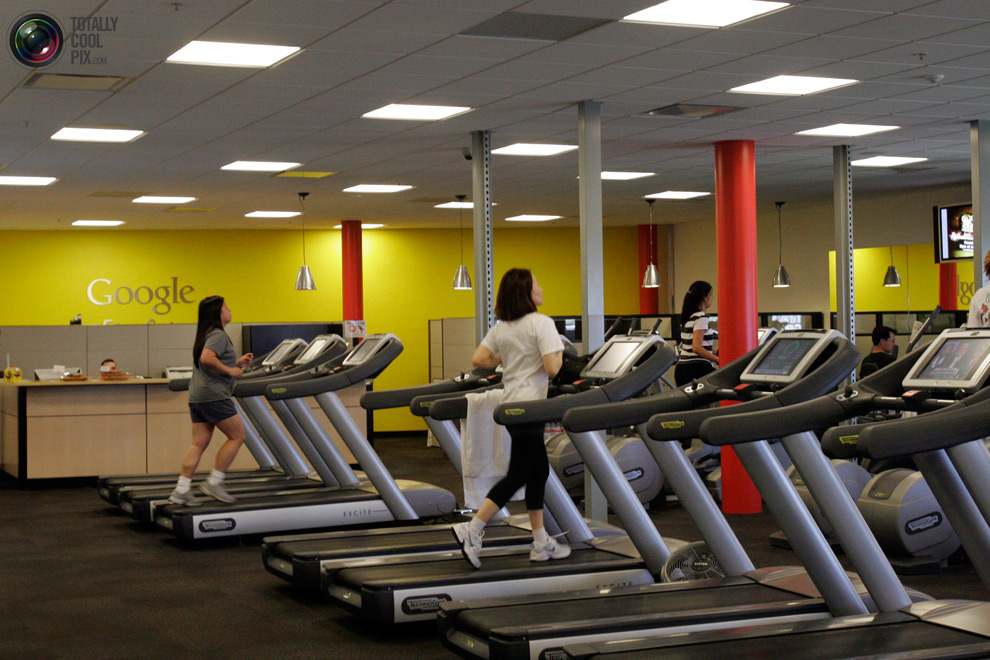
6. At the headquarters of the company «Google» in Mountain View, California, employees are free to use the gym. Picture taken March 3, 2008.
 มีสถานที่ให้พนักงานมาออกกำลังกายอีกด้วย ... สุดยอดจริงๆ
 
google07 Офис мечты: Работа в компании Google
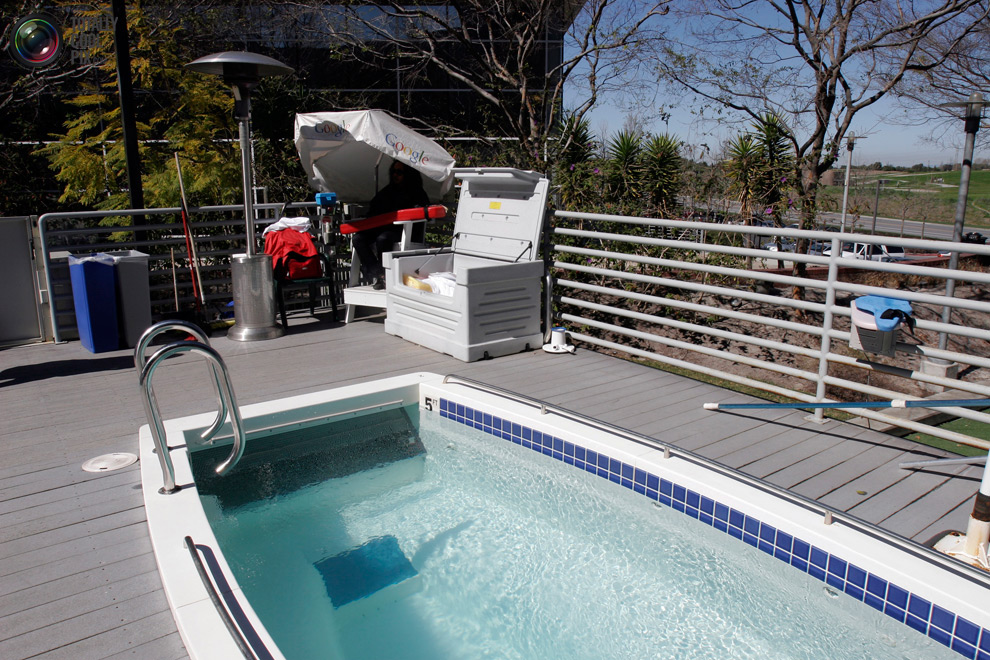
7. Swimming pool, beside which constantly lifeguard. Picture taken March 3, 2008 at the company's headquarters - "Googleplex". The name is a contamination of the words Google - the name of the company - and the complex (with Engl. Group of buildings), and the name refers to the number googolplex, equal to ten degrees googol (that is equal to 1010100).
 สระว่ายน้ำก็ยังมี
 
google08 Офис мечты: Работа в компании Google
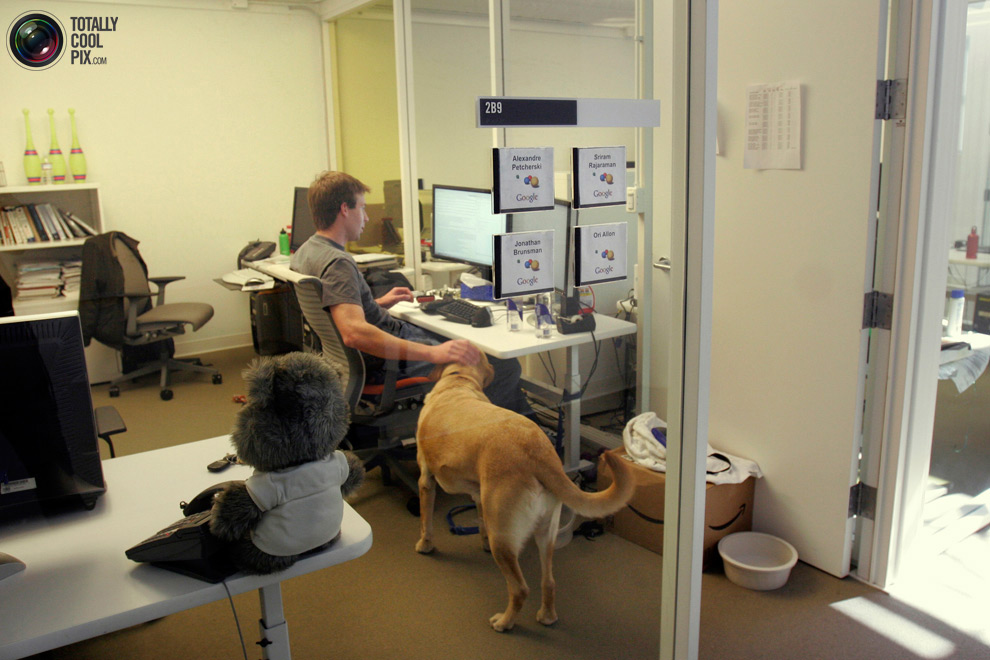
8. An employee with his dog in his office March 3, 2008. The picture was taken at the company's headquarters. The first four buildings in the complex "Googleplex" were originally built for the company Silicon Graphics in 1997, in 2003, Google took them out, and in 2006 bought the property with another Silicon Graphics (total value of the transaction amounted to 319 million dollars).
 นำสัตว์เลี้ยงมาทำงานด้วยยังได้อีก
 
google09 Офис мечты: Работа в компании Google
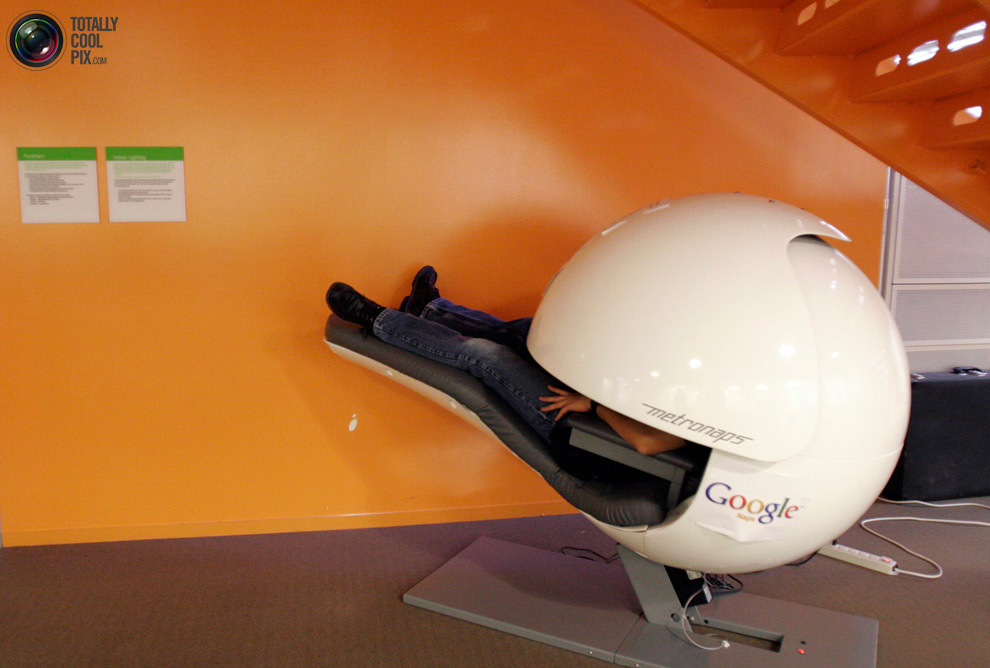
9. An employee of the company «Google» asleep in a special "capsule", blocking light and sound. The picture was taken at the headquarters of March 3, 2008.
 มีแค็ปซูล เอาไว้ให้พนักงานไปงีบสักพักหนึ่ง หายง่วงแล้วก็มาทำงานเต็มที่
 
google10 Офис мечты: Работа в компании Google
10. Employees of the company «Google» during a break in the New York office of «Google» March 10, 2008.
 เวลาเบรกของเขาล่ะ
 
google11 Офис мечты: Работа в компании Google
11. Employees called each other "Googlers." In the photo - an office in New York City during a break March 10, 2008.
 พนักงานจะเรียกแต่ละคนว่า Googlers (สาวกกูเกิล)
 
google12 Офис мечты: Работа в компании Google
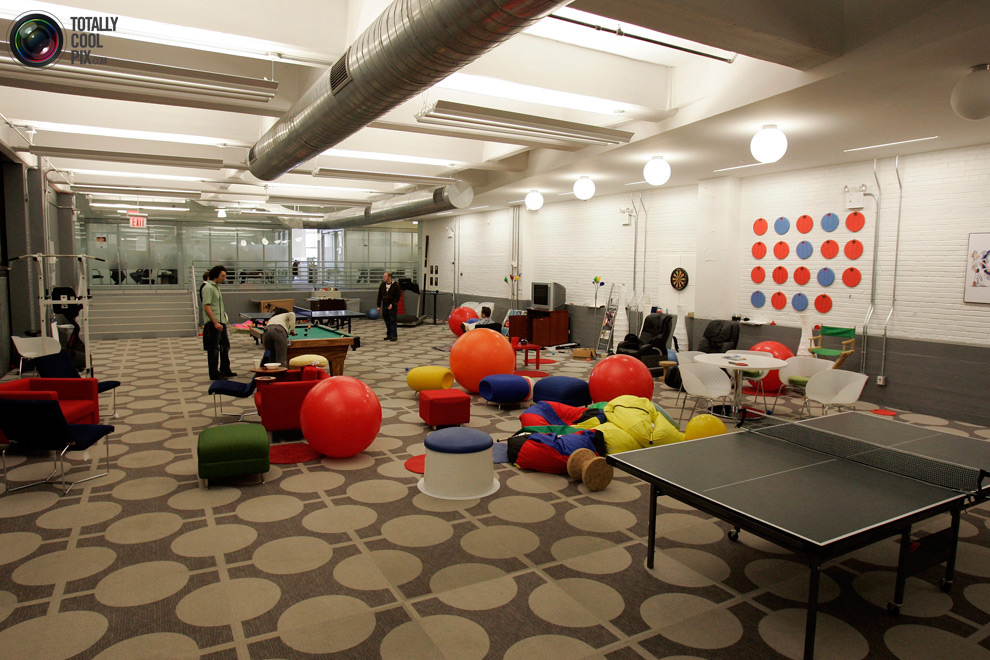
12. Games room in the office of «Google» in New York March 10, 2008. Google maintains and develops a number of Internet-based services and products, and a profit primarily from advertising through its program of AdWords.
 ห้องเกม
 
google13 Офис мечты: Работа в компании Google
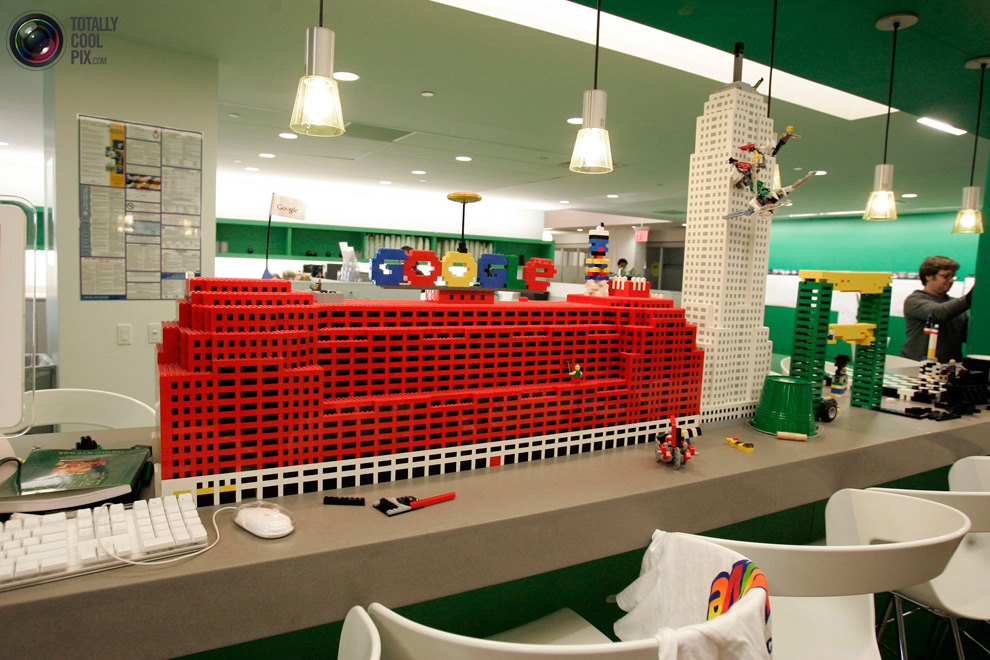
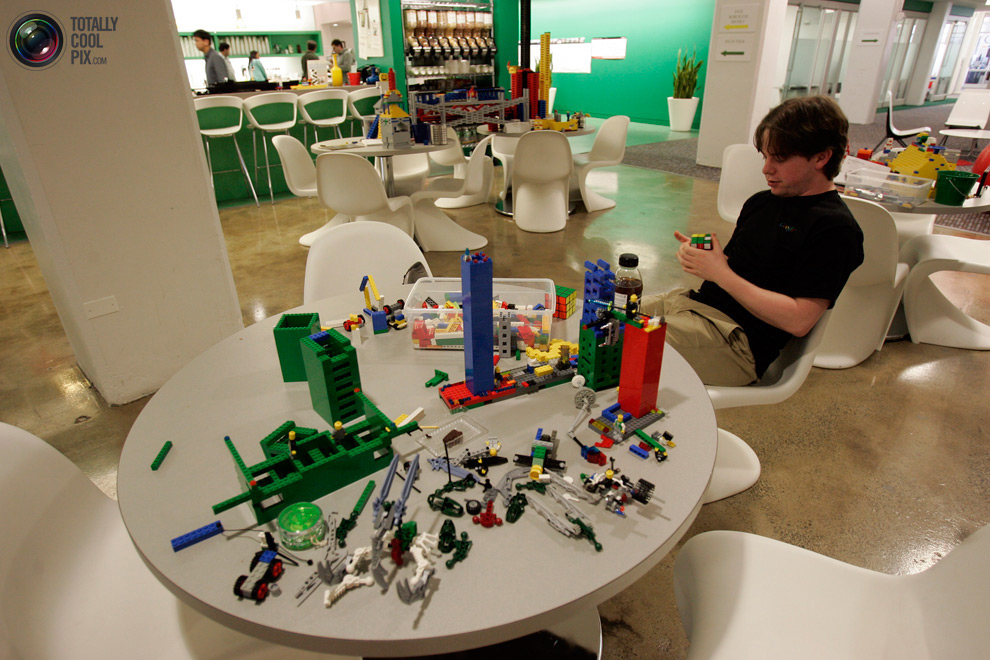
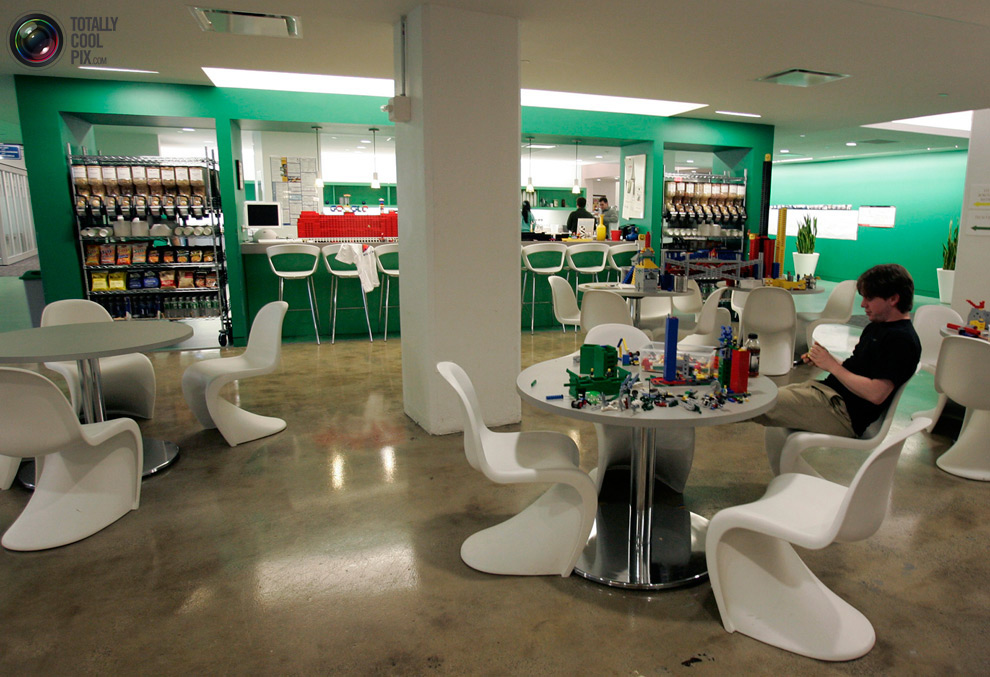
13. An employee of the company «Google» with the designer "Lego" in the New York office of March 10, 2008.
พนักงานกูเกิล ที่เป็นนักต่อชิ้นส่วน Lego ก็ยังมี
 
google14 Офис мечты: Работа в компании Google
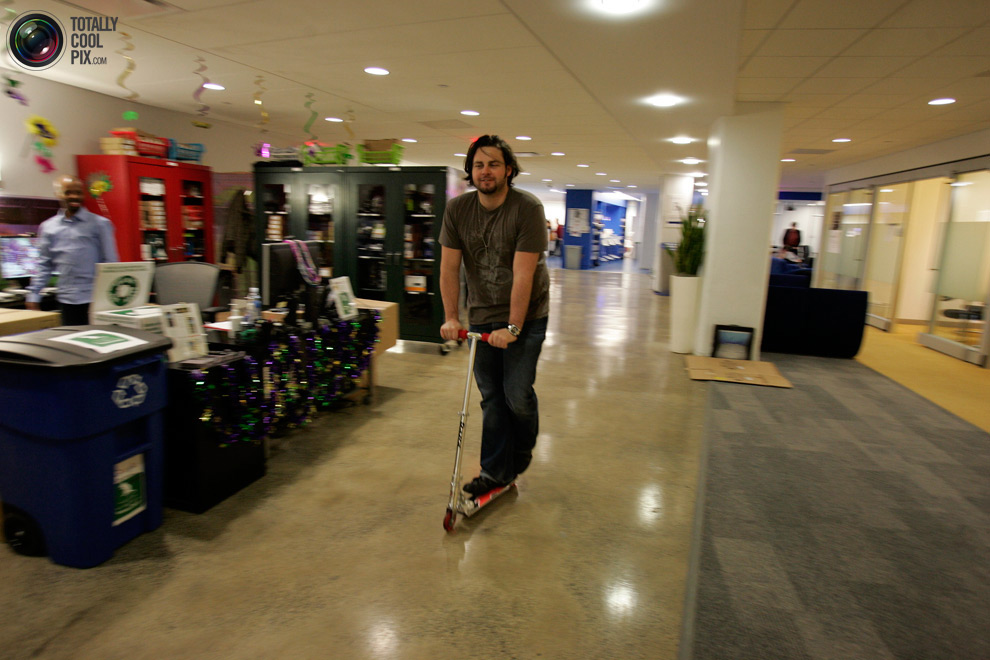
14. An employee rides a scooter through the corridors of the New York office of the company «Google» March 10, 2008.
 ต้องใช้สกู๊ตเตอร์
 
google15 Офис мечты: Работа в компании Google
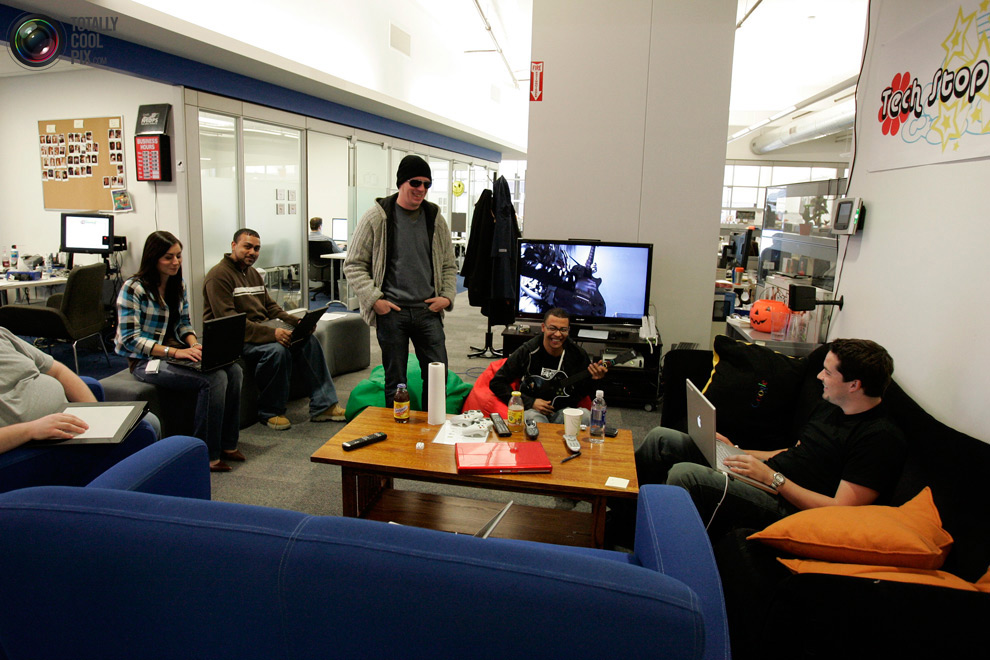
15. The staff at the New York office of the company «Google», March 10, 2008. The stated mission of the company from the beginning was "organizing the world's information, making it available and the benefits for all" and the company's unofficial slogan coined by Google engineer Paul Buchheit, "Do not be evil" (English Don't be evil)
 สโลแกนของ Google : "บริหารจัดการสารสนเทศของโลก ให้ยังประโยชน์กับชาวโลกทั้งมวล" 


google16 Офис мечты: Работа в компании Google
An employee who is the Lego designer.
พนักงานคนนี้แหละ นักออกแบบการต่อชิ้นส่วนเลโก้


google17 Офис мечты: Работа в компании Google 
 An employee uses her laptop PC. 
 

Facebook Head Office สำนักงานใหญ่เฟสบุ๊ก

Teacher :  Phaitoon  Yaemprasuan  :                                  http://picta55.blogspot.com 

 [SOURCE :  http://www.bigpicture.ru]

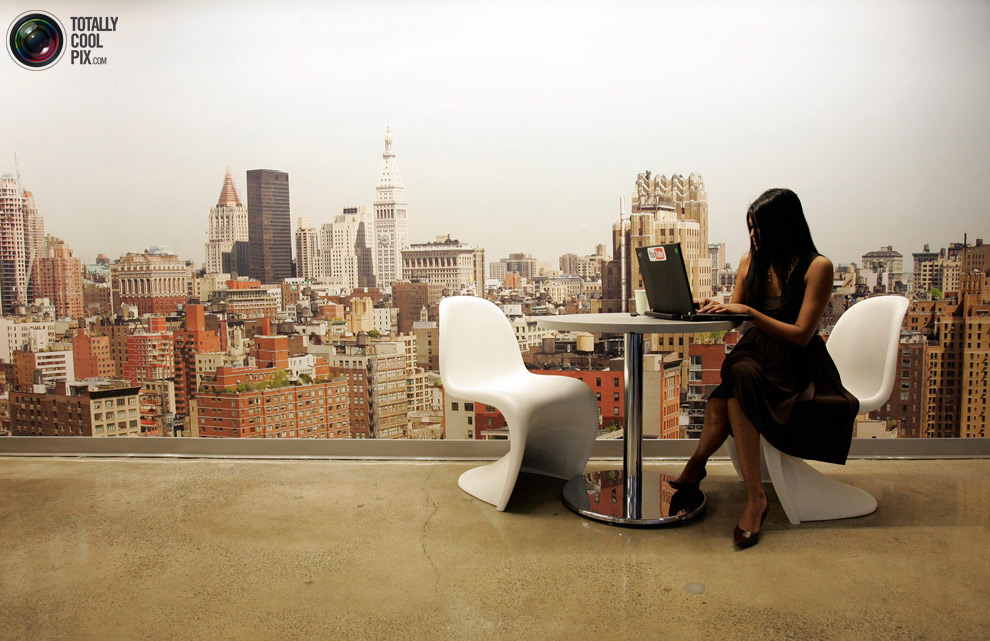
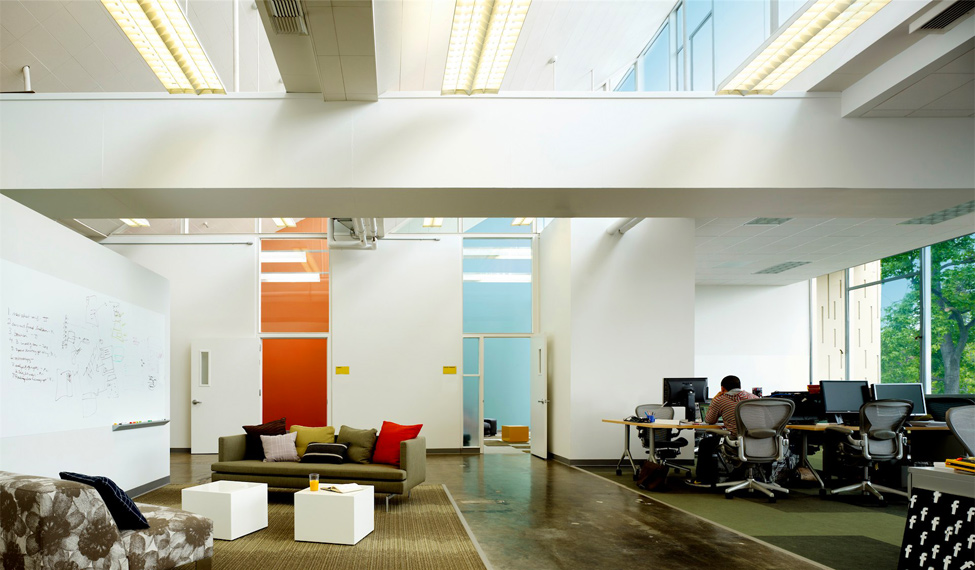
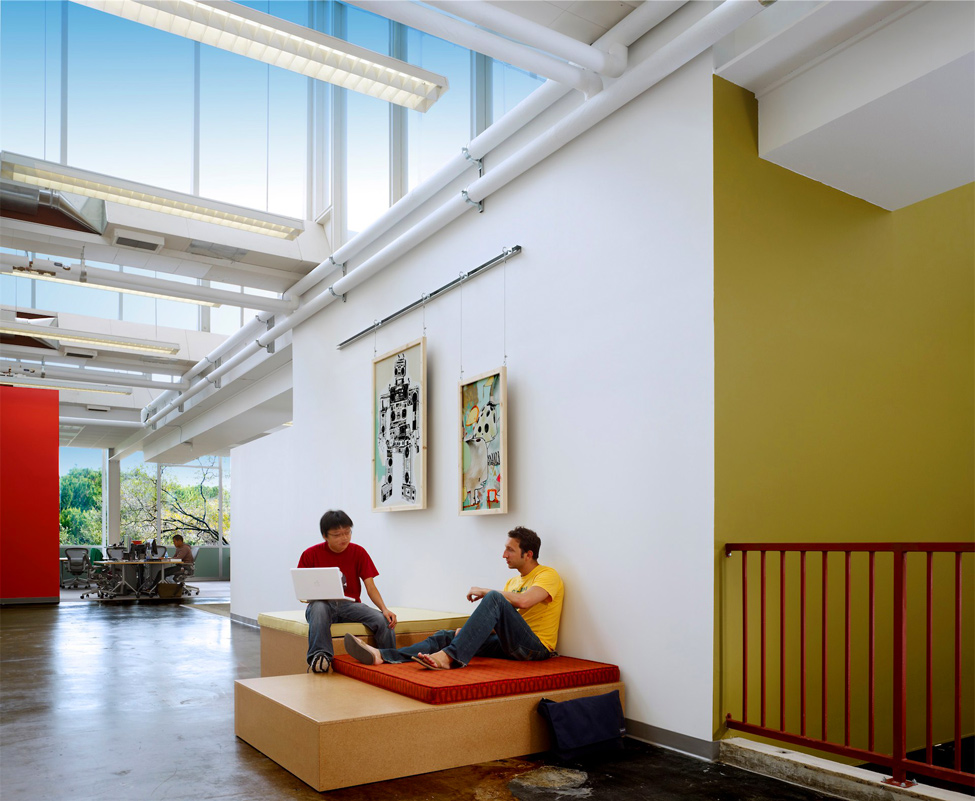
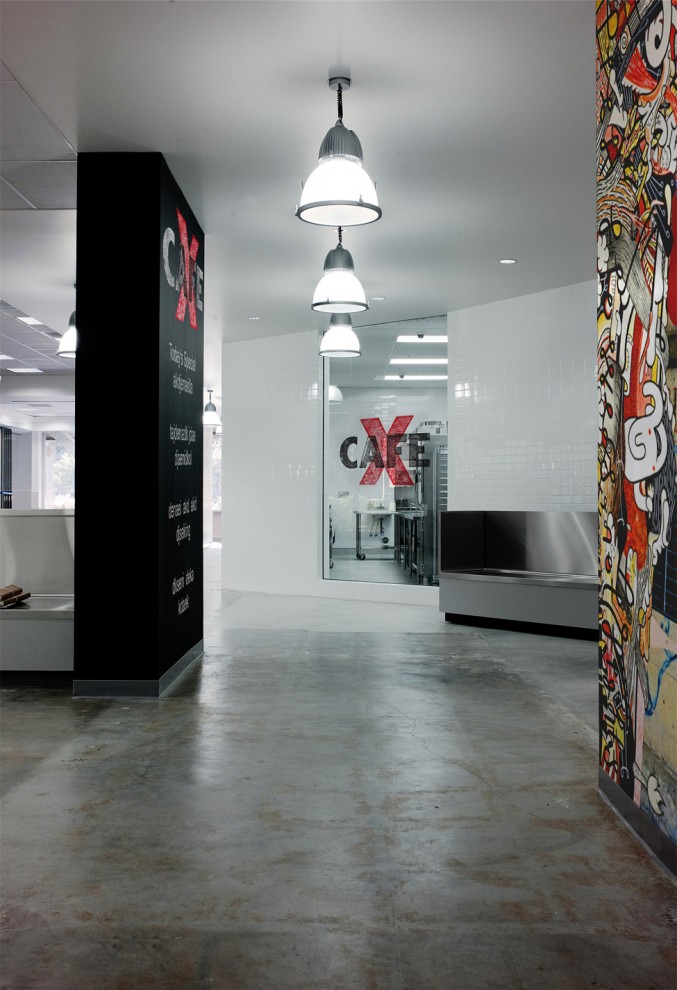
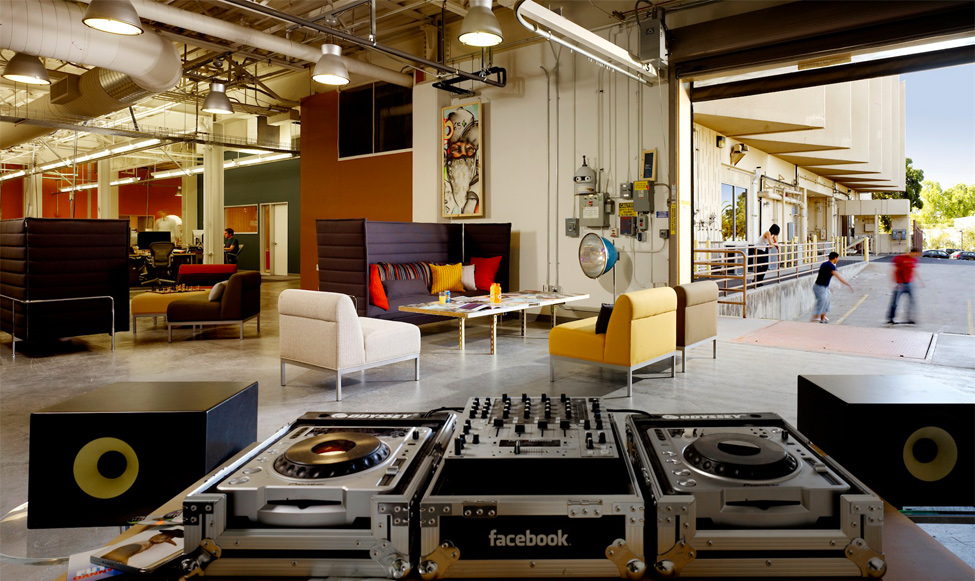
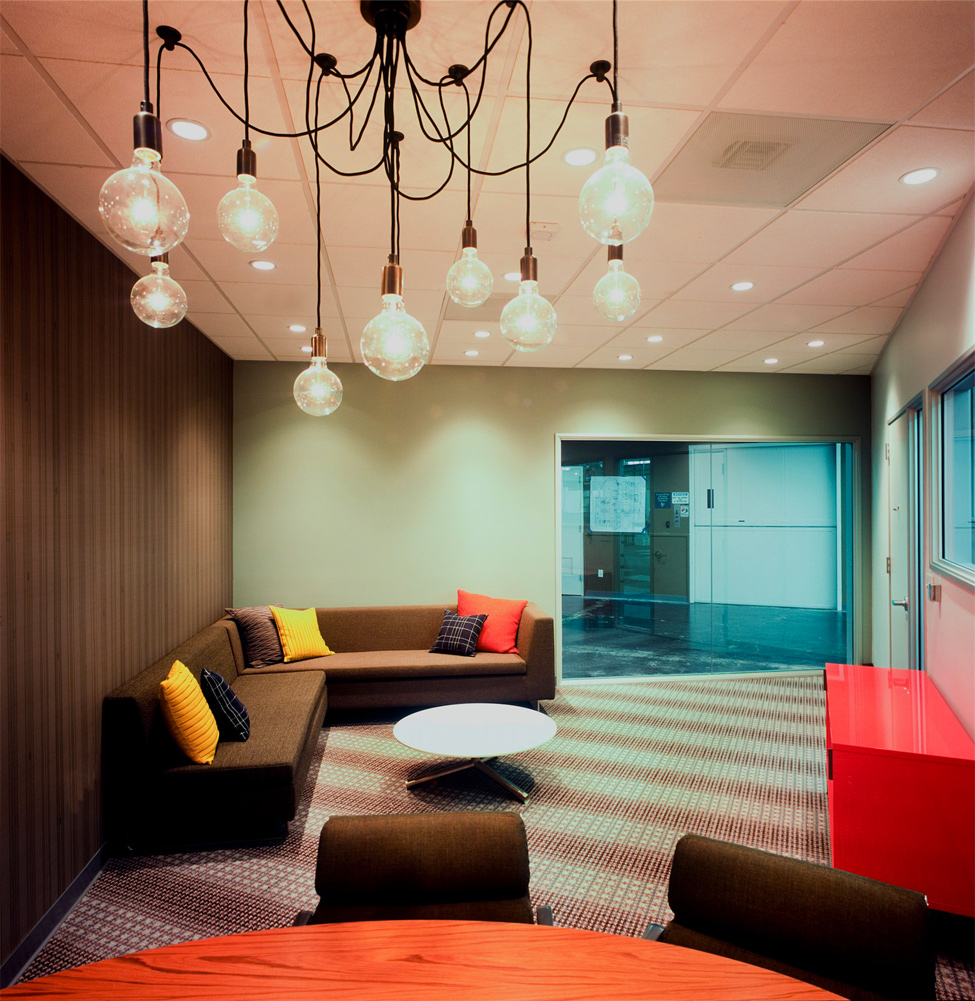
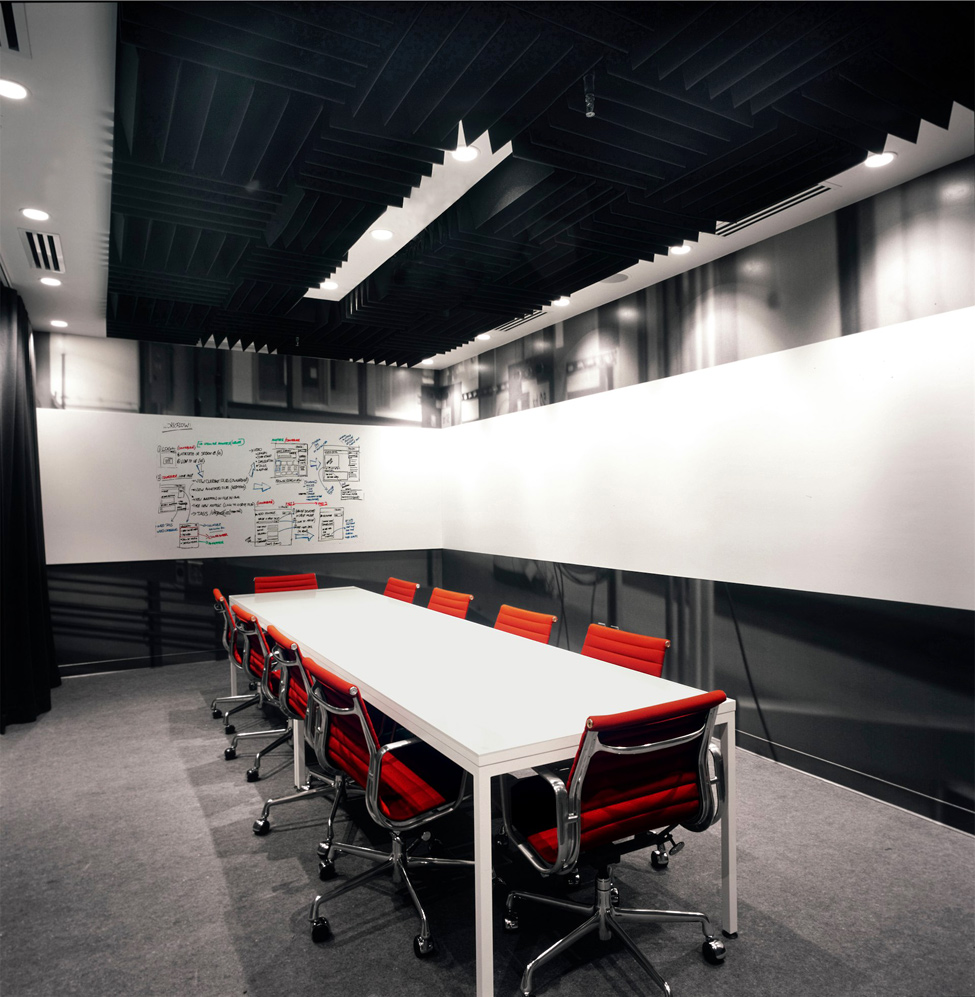
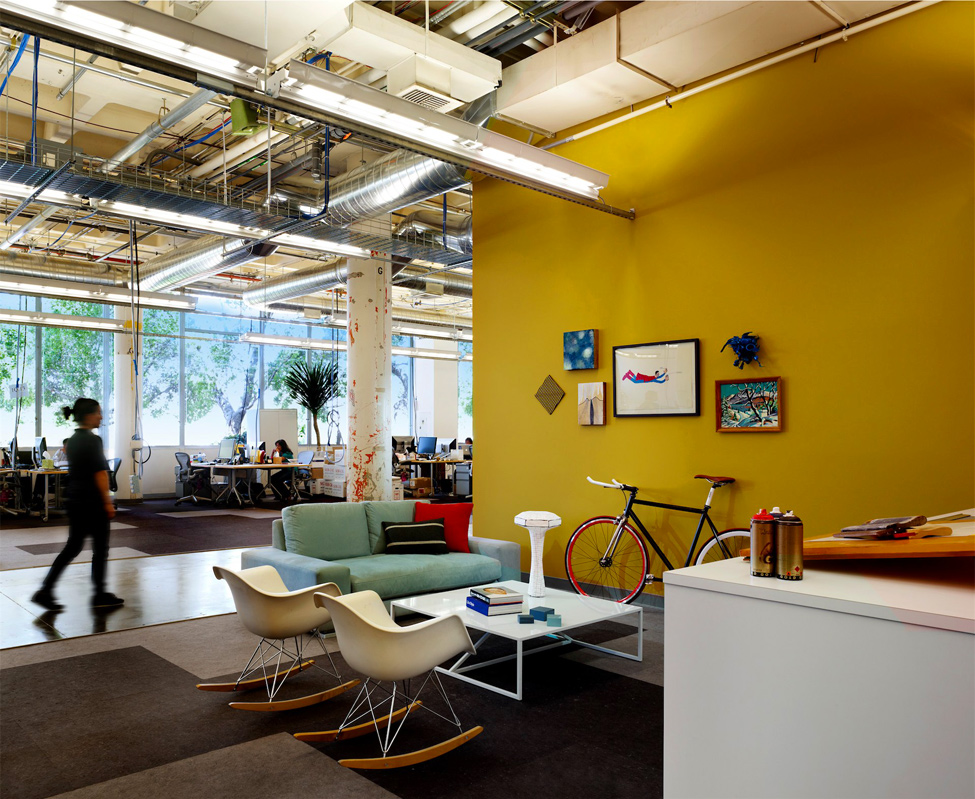
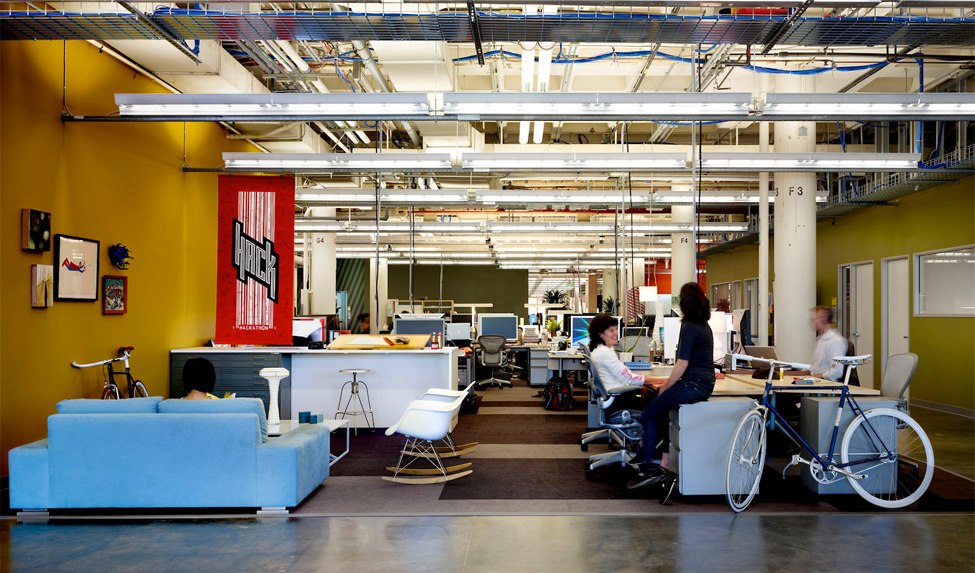
Well, let's look at the world class Information and Technology company, Facebook, that serves millions of people globally. But their Head office is so common like any other office.
เอาล่ะ... นักเรียน  อยากให้เรามาดูบริษัทระดับโลกอย่าง Facebook ที่ให้บริการคนหลายล้านคนทั่วทั้งโลกาใบใหญ่นี้ ดูอ็อฟฟิศสำนักงานใหญ่ของพวกเขาสิ  ธรรมดาๆ บ้านๆ ซะจริงๆ (พวกฝรั่งเขาจะทำอะไรเรียบง่าย ไม่มากพิธี ไม่มีอะไรยุ่งยาก  แต่คุณภาพงานของพวกเขาที่ออกมานั้น สุดยอด)


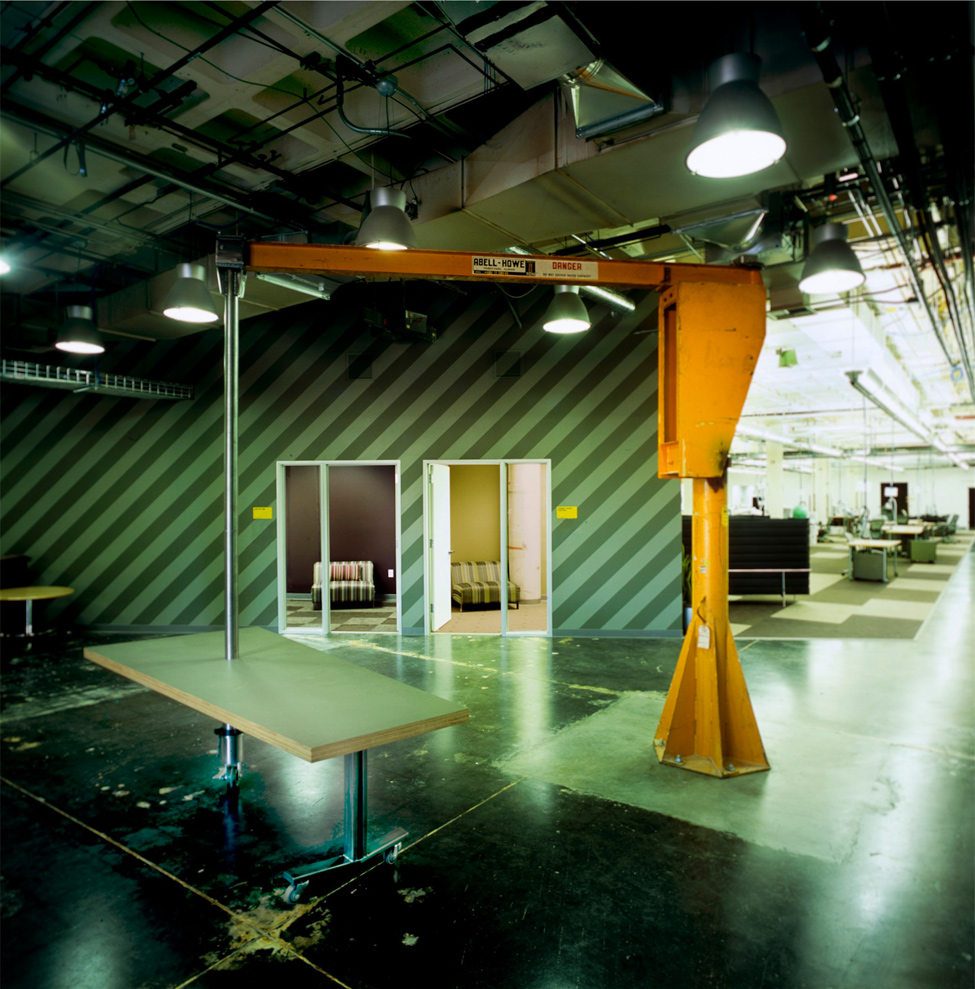
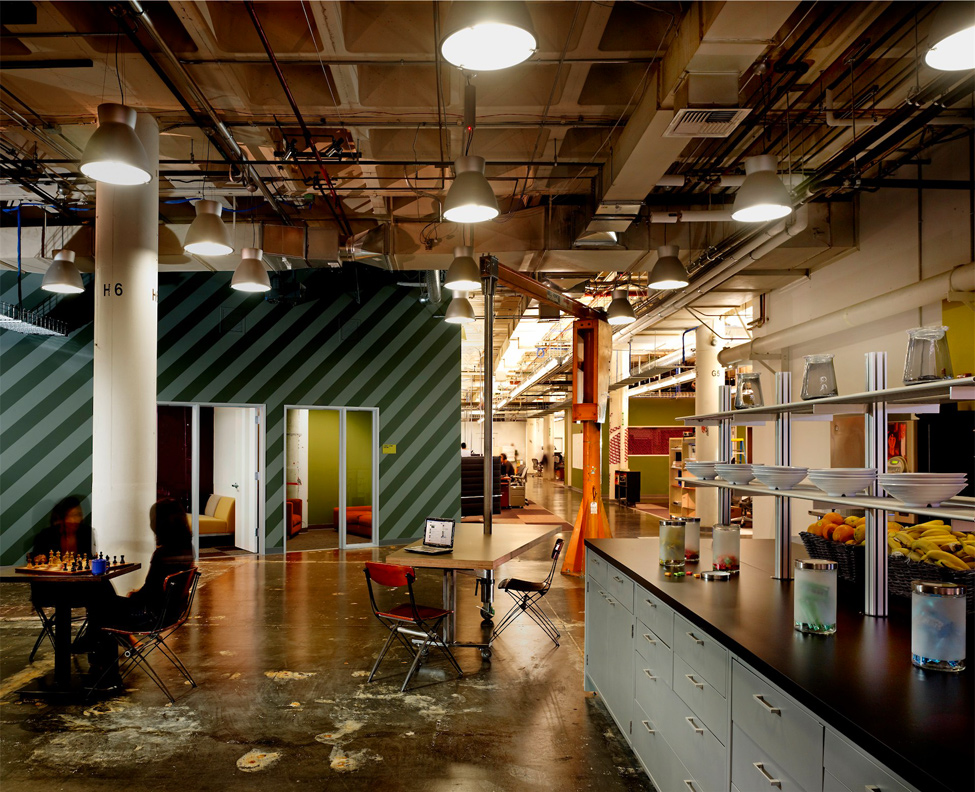
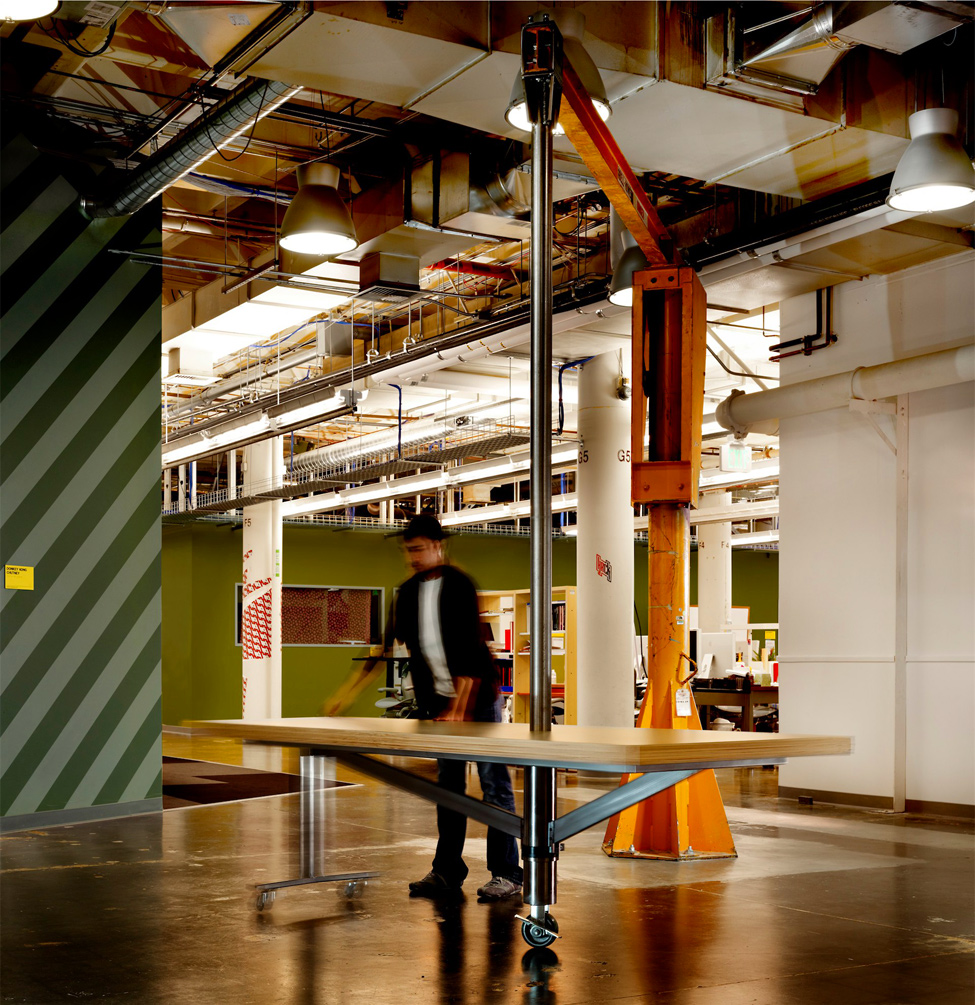
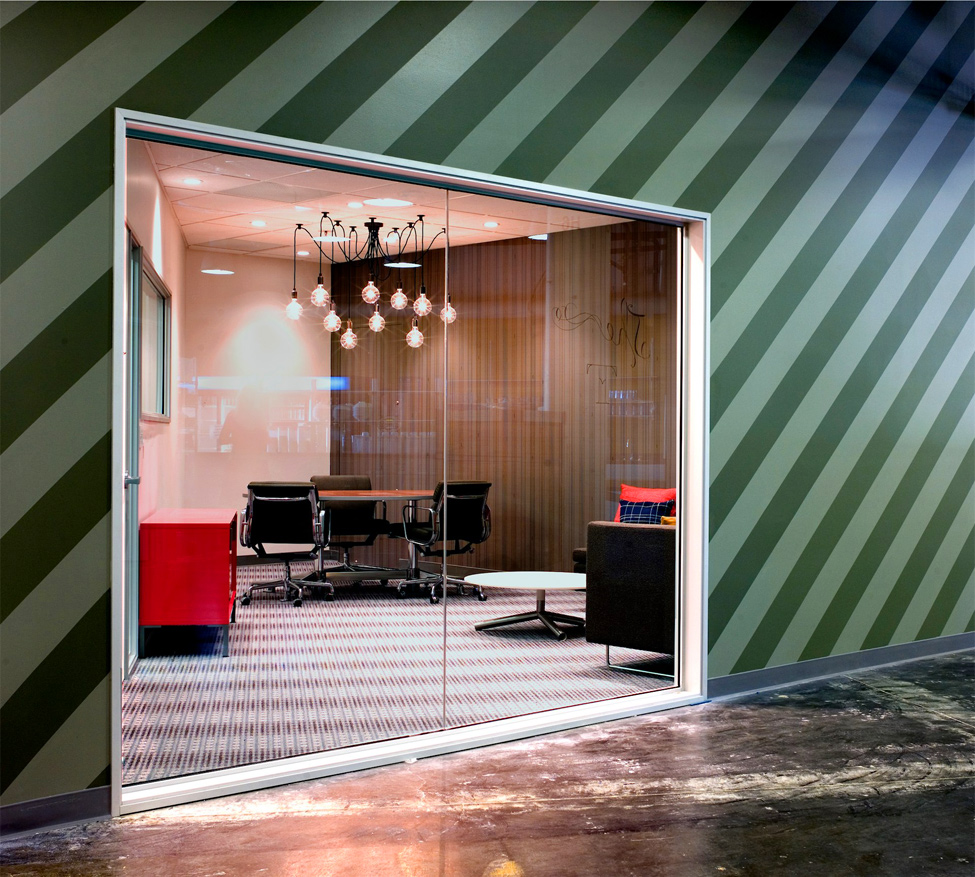
Head Office of Facebook is in Palo Alto, California. 
สำนักงานใหญ่เฟสบุ๊ก  ณ  เมืองพาโลอัลโต มลรัฐแคลิฟอร์เนีย

1309 Head office of Facebook 

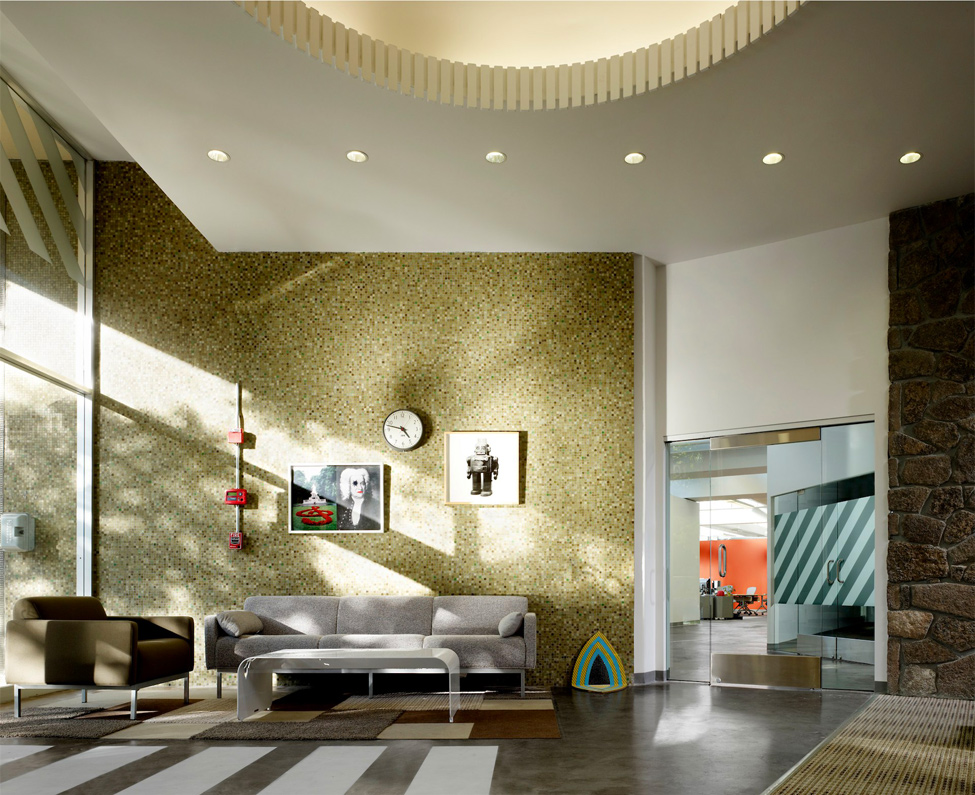
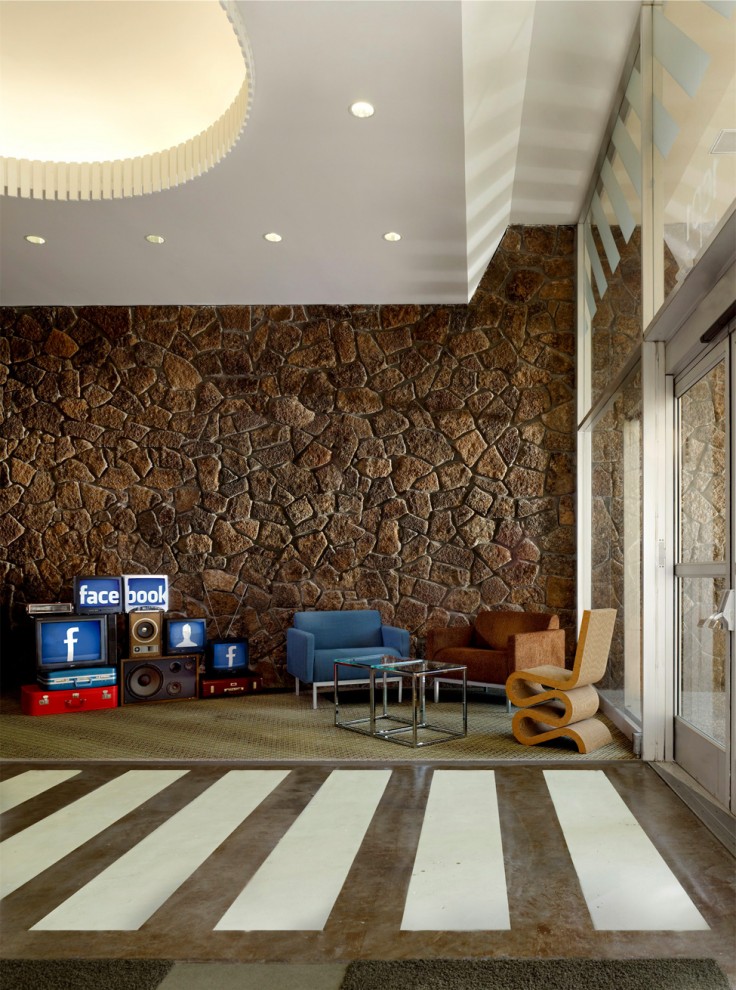
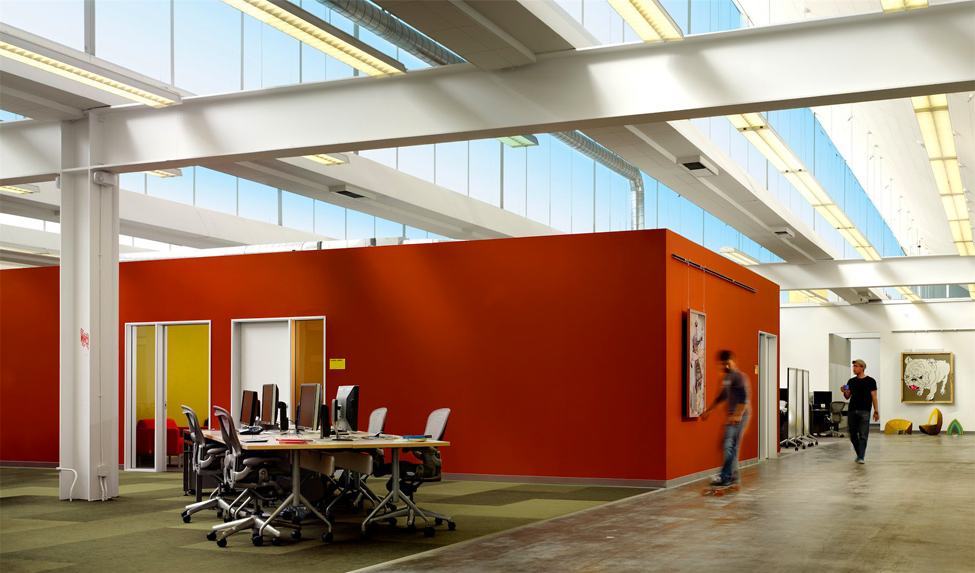
We can see that their office is not sophisticated but very common.
นักเรียนคงเห็นแล้วนะว่า ออฟฟิศใหญ่ของ  Facebook ก็ไม่ได้เลิศหรูสลับซับซ้อนอะไร แบบบ้านๆ ธรรมดาๆ (เพราะความ Hitech  จะไปอยู่ที่ Data Center แทน)

1309 Head office of Facebook
1.
2247 Head office of Facebook
2. 

3198 Head office of Facebook
3. 

4163 Head office of Facebook
4. 

5143 Head office of Facebook
5. 
6135 Head office of Facebook
6.
7133 Head office of Facebook
7. 
8120 Head office of Facebook
8. .
9104 Head office of Facebook
9. .
1097 Head office of Facebook
10.
11129 Head office of Facebook
11.
12107 Head office of Facebook
12.
1385 Head office of Facebook
13.
1482 Head office of Facebook
14.
1578 Head office of Facebook
15. Their office is like any common office, nothing is superb.
 ออฟฟิศดูธรรมดาๆ บ้านๆ เหมือนออฟฟิศทั่วไปที่ไหนๆ นั่นเอง  ไม่มีสิ่งไหนเลยที่เลิศลอยเกินเลย
 
1673 Head office of Facebook
16. The employees has never ware any uniform.
พนักงานของเขา ก็แต่งตัวแบบง่ายๆ บ้านๆ ไม่ต้องมีเครื่องแบบอะไรให้มากพิธี 
1767 Head office of Facebook
17.

วันอังคารที่ 9 กรกฎาคม พ.ศ. 2556

Computer Network เครือข่ายคอมพิวเตอร์

What is Computer Network? Why?

If any computer is not connected to others it is called "a stand-alone machine".  Today if anyone uses any stand-alone machine , he must be considered a stranger because the world today is of computer networks. A network machine can send/receive packets (bits of data per second) to/from any other machines e.g. Internet.  Our computers/tablet PCs/smart phones can never be alone anymore. Yes, they have been connected to their networks both local (e.g. the networks in our school) and global (e.g. Internet). We can share our resources such as  files, printers etc. to each other through our local area network (LAN) or we can exchange our data through the wide area network (WAN) like Internet. 

เครือข่ายคอมพิวเตอร์คืออะไร? ทำไม?

ถ้าหากคอมพิวเตอร์เครื่องไหนไม่ได้เชื่อมต่อกับใคร มันจะถูกเรียกว่า "เครื่องที่โดดเดี่ยว" และถ้ามีคนใช้เครื่องคอมพิวเตอร์แบบนั้น ก็จะถูกมองว่าเพี้ยนหรือเปล่า?  เพราะโลกทุกวันนี้ได้กลายเป็นโลกของเครือข่ายคอมพิวเตอร์ไปเรียบร้อยแล้ว  เครืองคอมพิวเตอร์ที่เชื่อมต่อกับเครือข่าย จะสามารถส่ง/รับข้อมูล ไปสู่/จากเครื่องอื่นๆ  เช่น  อินเทอร์เน็ต  เครื่องคอมพิวเตอร์/แท็บเล็ต/สมาร์ตโฟน ของเรา จึงไม่อาจอยู่ได้อย่างเดียวดายอีกต่อไป  เพราะมันจักต้องถูกเชื่อมต่อเข้ากับระบบเครือข่าย  ทั้งเครือข่ายท้องถิ่น (เช่น เครือข่ายภายในโรงเรียนของเรา)  และเครือข่ายระดับโลก (เช่น อินเทอร์เน็ต)  เรายังสามารถแบ่งปันทรัพยากร อาทิ  ไฟล์ เครื่องพิมพ์  ให้กันและกันในเครือข่าย ผ่านระบบเครือข่ายเฉาะที่ (แลน) หรือเราสามารถแลกเปลี่ยนข้อมูลผ่านระบบเครือข่ายวงกว้างอย่างอินเทอร์เน็ตได้ด้วย 


Figure 1   What is Computer Network  เครือข่ายคอมพิวเตอร์คืออะไร


Figure 2  Computer Network classified by Area Width
เครือข่ายคอมพิวเตอร์ จำแนกตามขนาดของพิ้นที่


Figure 3  Types of Network Topology
รูปแบบการเชื่อมต่อของเครือข่าย


Figure 4   Star/Extended Star Topology
รูปแบบการเชื่มต่อแบบสตาร์ และแบบสตาร์หลายๆ กลุ่ม


Figure 5   The Server-Client Network What/How
เครือข่ายคอมพิวเตอร์แบบ แม่ข่าย-ลูกข่าย

::      ::      ::

What/How of the Network in Comp102 Classroom?

เครือข่ายคอมพิวเตอร์ ห้องเรียนคอมพ์102 เป็นแบบไหน/อย่างไร


Because the operating software (OS) of all computers in classroom-102 is Windows7, so any students who use them, those machines, should better understand how they work, especially how to use the network of them.

เพราะซอฟต์แวร์ระบบปฏิบัติการ (โอเอส) ของคอมพิวเตอร์ทุกเครื่องในห้องเรียน 102 คือ Windows7 ดังนั้นนักเรียนก็น่าจะต้องรู้ว่า มันมีวิธีการทำงานอย่างไร โดยเฉพาะระบบเครือข่าย 

 Our computers in comp102 classroom are connected together with the UTP (unshielded twisted pair) cables. Why? Because the unshielded cables are lower cost than the shielded cables which have been used in the signal noisy areas e.g.  airports, factories, etc. The style of their connection is "Star Topology" which each machine has its own cable which connects directly to the hub/switch.  A hub/switch is the center point of cables (both devices are similar to each other but a switch is more clever than a hub) . Well our network is called Local Area Network (LAN). Any LAN must has its workgroup name which required by the Operating System (OS) of each computer, Windows7 . But the administrator (the teacher) of this LAN  named it "comp2" workgroup. 

เครื่องคอมพิวเตอร์ในห้องเรียน 102 เชื่อมต่อด้วยสายเครือข่ายแบบ สายคู่บิดเกลียวไม่หุ้มฉนวน หรือสายยูทีพี ทำไมต้องเป็นสายแบบนี้?  เพราะราคาสายแบบนี้มันถูกกว่า สายเคเบิลแบบหุ้มฉนวน ที่ใช้กันในพื้นที่ที่มีการรบกวนสัญญาณมาก เช่น โรงงานในนิคมอุตสาหกรรม  ท่าเรือ ท่าอากาศยาน ฯลฯ และการที่ต้องบิดเป็นเกลียวก็เพื่อให้ป้องกันการรบกวนสัญญาณนั่นเอง  ซึ่งรูปแบบหรือโทโพโลยีของการต่อระบบแลน จะเป็นแบบสตาร์โทโพโลยี  นั่นคือเครื่องทุกเครื่องก็จะมีสายเคเบิลเป็นของตนเองไปโยงกับฮับ/สวิตช์ ที่ถือว่าเป็นจุดรวมศูนย์ของสายเคเบิลนั่นเอง (ทั้งสองอุปกรณ์ทำหน้าที่เหมือนกัน แต่สวิตช์จะมีความสามารถในการจัดการมากกว่า เช่น สายใดที่ไม่มีการเชื่อมต่อ สวิตช์มันก็จะตัดออกจากระบบ เป็นต้น)  ระบบเครือข่ายของเราเรียกว่า แลน  โดยแลนแต่ละวงจะต้องมีการกำหนดชื่อ เวิร์กกรุ๊ป ซึ่งของห้องเรียน 102 ครูผู้สอนกำหนดชื่อว่า comp2 


The Teacher Teaches About Programming Using C-Language in Comp102 Classroom
ครูผู้สอน ขณะกำลังสอนเกี่ยวกับการโปรแกรมด้วยภาษาซี ณ ห้องเรียนคอมพ์102


::      ::      ::


If we consider only the "comp2-workgroup LAN", it is a peer-to-peer network that every machine is independent from each other but shares its files/folders/printers to its peers. On the other hand, when this workgroup connects to the server computer of "the School Media Center", it must be a client-server network. 

ถ้าพิจารณาเฉพาะเครือข่ายห้องเรียนคอมพ์102 มันจัดว่าเป็น เครือข่ายแบบ-เพื่อน-ถึง-เพื่อน หรือ peer-to-peer  นั่นหมายถึงว่า คอมพิวเตอร์แต่ละเครืองในวงแลนจะเป็นอิสระจากกันและกัน เพียงแต่มาร่วมกลุ่มกันแบบถ้อยทีถ้อยอาศัยกันในหมู่เพื่อนแค่นั้น  ในอีกทางหนึ่ง หากนำเอาวงแลนนี้ไปต่อเชื่อมกับเครื่องคอมพิวเตอร์แม่ข่าย หรือ server computer ที่อยู่ในห้องศูนย์สื่อ ของโรงเรียน  เครือข่ายก็จะกลายเป็นแบบ "แม่ข่าย-ลูกข่าย" หรือ Server-Client Network


What is about the client-server network? It means that the server computer of "the Media Center" is the manager/boss of other computers which are only the clients. The server computer has been installed with the operating-software-for-server such as Windows2003server/Windows2008server , Linux or  Unix, which can manage the client computers of the network. The clients have to obey the server because the latter has the power to control/ban the former. Yes, the clients can never control/manage the server.
 เครือข่ายแบบ Server-Client Network เป็นแบบใด? ก็หมายความว่า เครื่องคอมพิวเตอร์แม่ข่าย (Server) ของศูนย์สื่อคือ ผู้จัดการ/นาย ของเครื่องอืนๆ ที่มีสถานะเป็นแค่ลูกน้อง หรือClient แค่นั้น  การที่เครื่องเซิร์ฟเวอร์สามารถบริหารจัดการเครืองลูกข่ายของมันได้นั้น เพราะมันได้ติดตั้งซอฟต์แวร์ระบบปฏิบัติการแบบแม่ข่ายเอาไว้นั่นเอง อาทิ Windows2003server/Windows2008server , Linux หรือ  Unix ซึ่งเครื่องลูกข่ายจะต้องยอมให้ตนเองถูกจัดการได้ เพราะซอฟต์แวร์ระบบของเครื่องแม่ข่ายสามารถควบคุม/สั่งแบน เครื่องอื่นๆ ได้  ในขณะที่เครื่องอื่นๆ ไม่สามารถบริหารจัดการเครื่องเซิร์ฟเวอร์ได้นั่นเอง  


The Common Personal Computer that was installed with the Linux Server Operating System. 
เครื่องพีซีบ้านๆ ที่เอามาทำเป็นเครื่องเซิร์ฟเวอร์  โดยนำมาติดตั้งระบบปฏิบัติการลีนิกซ์สำหรับเครื่องข่าย

Every machine in the network is required to have its unique "hostname" and "IP address".  Only the server computer has the "static IP-address" while the IP addresses of the client computers are "dynamic" specified/controlled by the sever. If the user of any client computer specify the static IP address himself, the server computer can never share the Internet connection because the "IP address conflict"problem could be occurred easily. Then the alien client will be kicked off /faded away from the network simultaneously. Yes, the server computer is the "Internet gateway" of the network.

คอมพิวเตอร์ทุกเครื่องต้องมีชื่อเฉพาะตัวที่ไม่ซ้ำใคร เรียกว่า Hostname  และต้องมีรหัสหมายเลขเครื่องกำกับไว้ เรียกว่า IP-address  และในเครือข่ายแลนก็จะมีแค่เพียงเครื่องแม่ข่ายหรือเซิร์ฟเวอร์เท้านั้น ที่มีรหัสไอพีแอสเดรสแบบคงที่ เรียกว่ามี static IP-address   ขณะที่ไอพีแอสเดรสของคอมพิวเตอร์ลูกข่ายทั้งหลาย จะไม่คงที่ หรือDynamic  ส่วนจะเป็นรหัสไอพีอะไรนั้น เครื่องเซิรฟเวอร์จะเป็นตัวจัดการให้เอง โดยยึดหลัก FIFO (First In, First Out) ก็หมายความว่า เครื่องลูกข่ายตัวไหนเชื่อมต่อกับเครื่องเซิร์ฟเวอร์ก่อนก็จะๆด้รับการจ่ายรหัสไอพีให้ก่อน-หลัง ตามลำดับไป  แต่ถ้าเครื่องคอมพิวเตอร์ลูกข่ายตัวไหนไปดำเนินการกำหนดรหัสไอพีแอสเดรสของตัวเองเป็นแบบคงที่ละก็ คอมพิวเตอร์เครื่องนั้นๆ ก็จะถูกเครื่องเซิร์ฟเวอร์เฉดหัวออกไปจากระบบ มิเช่นนั้นอาจจะทำให้เกิดปัญหารหัสไอพีชนกันได้ในระบบ และเครื่องเซิร์ฟเวอร์ในฐานะเกตเวย์หรือทางออกสู่อินเทอร์เน็ตของระบบ ก็จะไม่ยอมแบ่งปันการเชื่อมต่ออินเทอร์เน็ตให้กับเครื่องนั้นๆ 

OK., after selecting the "Local Area Network" option, the "Local Area Network Connection Status" window appears. You can see its speed of packets transmission (100 Mbps) , bytes of the sent/received packets. 

หลังจากที่นักเรียนเลือก  "Local Area Network" หน้าต่างที่ชื่อ "Local Area Network 
Connection Status" ก็จะโผล่หน้ามาให้ยล ตรงนี้แหละนักเรียนก็จะเห็นได้ว่า ความเร็วของเครือข่ายเราขนาดไหนในการส่งแพ็คเก็ตส์ (จำนวนบิตของข้อมูลในหน่วยวินาที) ความเร็วระดับมดวิ่งนั่นแหละ แค่สัก 100 ล้านบิตต่อวินาที อย่าลืมว่า ตั้ง 8 บิต จึงจะได้ไบต์ 


Then, when you click on the "Properties" button, another window shows. To find and select the "Internet Protocol Version) option, you can see its IPaddress has been obtained automatically by the gateway/server computer (of the School Media Center).

ต่อจากนั้นเราก็คลิกปุ่ม properties เราจะพบว่า เครื่องลูกข่ายที่เราใช้อยู่ จะถูกจ่ายรหัสไอพีให้แบบอัตโนมัติ ตามที่กล่าวมาแล้ว (ถ้าจะปรับเป็นรหัสคงที่ก็ต้องมาปรับตรงนี้) แต่ปกติจะตั้งไว้ตามรูปนั่นแหละ 


::      ::      ::

Another one I would like to refer to is "protocol". What is it?  A protocol (www.wikipedia.org) is a system of digital message formats and rules for exchanging those messages in or between computing systems and in telecommunications.  And in our network we use the TCP/IP (comes from "Transmission Control Protocol and Internet Protocol).  Now Thailand uses IPv4 protocol, but Thai government by Prime Minister Yingluck Shinawatra is going to change the Internet protocol of the country with another version, IPv6 protocol, which has more capacity and efficiency of transmission. 


มีอีกเรื่องที่ครูอยากจะพูดถึงก็คือ "โปรโตคอล" มันคืออะไร?  ถ้่าจะว่าไปนะ คำๆ นี้ มันเป็นภาษาที่ใช้ในวงการฑูตเขา คือกรณีที่ต้องมีการติดต่อสื่อสารกันระหว่างพวกฑูตของประเทศต่างๆ เขาก็จะต้องมีวิธีการ มาตรฐาน ระบบระเบียบต่างๆ ที่เข้าใจตรงกัน และเขาเรียกว่า protocol ทางวงการคอมพิวเตอร์ก็ไปขอยืมคำศัพท์ของเขามาใช้บ้าง  โปรโตคอลของเครือข่ายคอมพิวเตอร์ (www.wikipedia.org) ก็คือ ระบบของรูปแบบข่าวสารเชิงดิจิตอลและกติกา ของการแลกเปลี่ยนกันระหว่างระบบคอมพิวเตอร์และโทรคมนาคม  ซึ่งทุกวันนี้ โปรโตคอลที่เราใช้ในเครือข่ายนั้น คือ ทีซีพี/ไอพี (โปรโตคอลควบคุมการส่งข้อมูล และอินเทอร์เน็ตโปรโตคอล)  และ ตอนนี้รัฐบาลไทย ภายใต้การนำของ ฯพณฯ ยิ่งลักษณ์ ชินวัตร  ก็กำลังปรับเปลี่ยนอินเทอร์เน็ตโปรโตคอลของประเทศเรา ที่ขณะนี้เป็นเวอร์ชัน 4 ให้เป็นเวอร์ชั่น 6  เพื่อรองรับปริมาณของเครือข่าย และประสิทธิภาพที่ขยายเพิ่มขึ้น